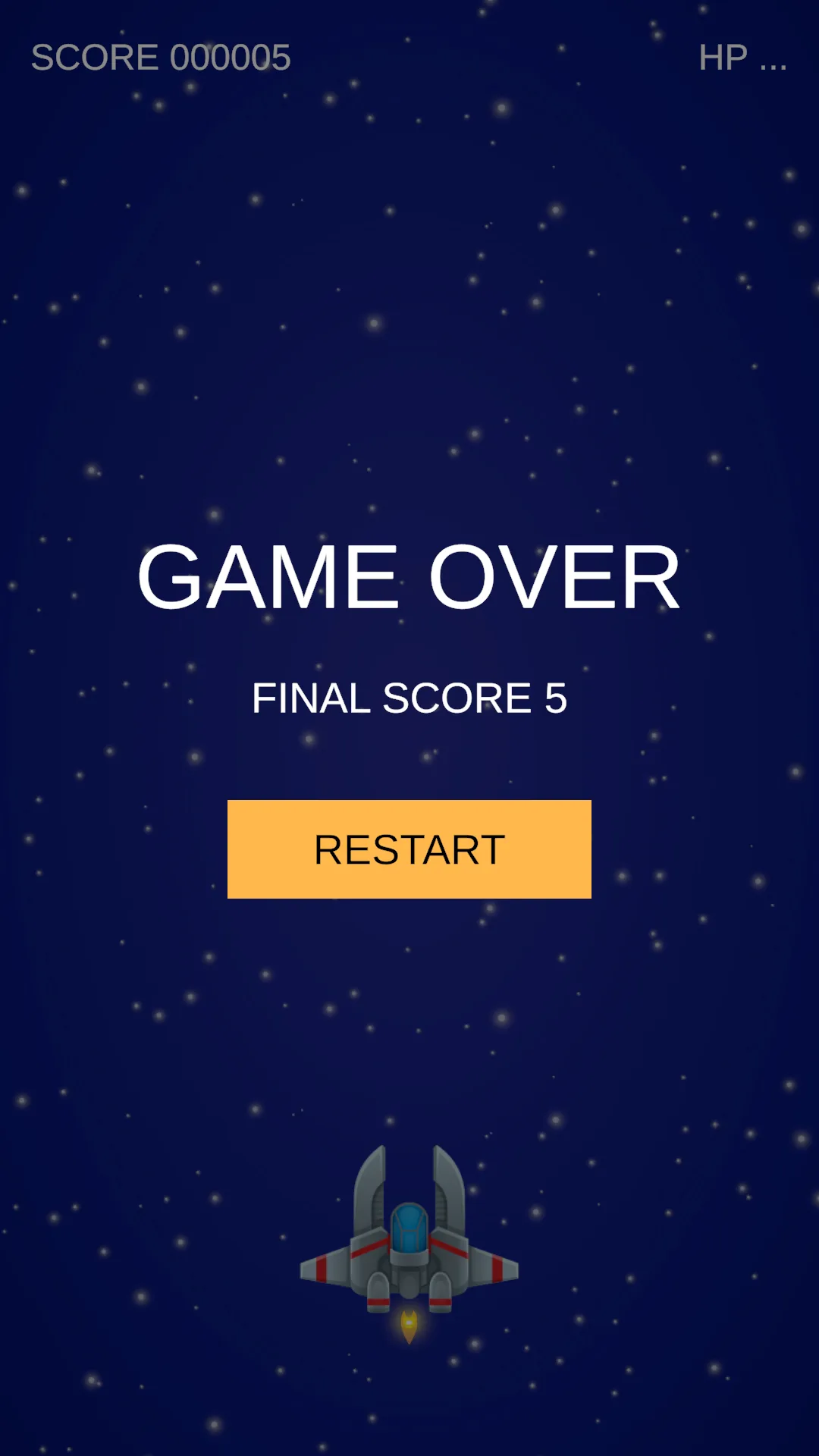
Playing: accept input, spawn enemies, award score.
Game Over: lock controls, disable the ship's collider, stop the spawner, show the result.
Restart: reload the scene and begin a new run.
Decide how a run ends before drawing a HUD
The game currently runs forever: enemies keep coming, and the ship keeps flying after its health hits zero. This lesson gives a run a beginning and an end. The first decision is that Game Over is not a pause, so we never touch timeScale.
Save the scene as SEU_08_HUD. A new run starts at 0 points and 3 HP. When the ship reaches 0 HP it stays on screen but cannot be controlled, takes no collisions, and no new enemies spawn. Bullets and enemies already in flight finish their journey, and the score is locked.
Why not set Time.timeScale = 0: that freezes everything including the star field and effects, leaving a dead screen at exactly the moment the player wants to read their result. We only switch off the things that change state, and the decorative parts keep running.
Who owns state, who only displays it
| Component | Owns | Emits |
|---|---|---|
| Health | Current, Max, IsDead | Changed, Damaged, Died |
| Enemy | Its instance's Data | Killed, carrying the Enemy itself |
| GameSession | Score, IsOver | ScoreChanged, GameOver |
| HudView | References to widgets | Text and panels |
| RestartButton | One UI action | Calls GameSession.Restart |
That chain runs one way only, which is the whole point. Health does not know a score exists. GameSession does not know anything is on screen. HudView only listens and draws, deciding nothing. Remove the HUD and the run still obeys every rule.
The Killed event carries the whole Enemy object rather than just a score value. That lets a listener read both its Data and the position where it died, and lessons 9 and 10 reuse this exact event without changing its signature. The event fires before the enemy returns to the pool, so the position you read is where it actually died.
Replace Enemy with the complete file from the lesson 8 package. It subscribes to Health.Died, republishes it as a static Killed event, and unsubscribes when destroyed. Static so one session can hear every enemy without hunting for them; the trade is that every listener absolutely must unsubscribe, or it keeps a reference to an object from the old scene after a restart.
GameSession first, UI second
Assets/_ShootEmUp/Scripts/Core/GameSession.cs
using System;
using ShootEmUp.Combat;
using ShootEmUp.Data;
using ShootEmUp.Enemies;
using UnityEngine;
using UnityEngine.SceneManagement;

namespace ShootEmUp.Core
{
    public sealed class GameSession : MonoBehaviour
    {
        [Tooltip("The ship. Its Health decides when the run ends.")]
        [SerializeField] private Health player;

        [Tooltip("Objects switched off on game over (spawner, player controls).")]
        [SerializeField] private Behaviour[] disableOnGameOver;

        public int Score { get; private set; }
        public bool IsOver { get; private set; }

        public event Action<int> ScoreChanged;
        public event Action GameOver;

        private void OnEnable()
        {
            Enemy.Killed += OnEnemyKilled;
            player.Died += OnPlayerDied;
        }

        private void OnDisable()
        {
            Enemy.Killed -= OnEnemyKilled;
            player.Died -= OnPlayerDied;
        }

        public void Restart()
        {
            SceneManager.LoadScene(SceneManager.GetActiveScene().buildIndex);
        }

        private void OnEnemyKilled(Enemy enemy)
        {
            if (IsOver) return;
            Score += enemy.Data.scoreValue;
            ScoreChanged?.Invoke(Score);
        }

        private void OnPlayerDied(Health _)
        {
            if (IsOver) return;
            IsOver = true;
            foreach (var b in disableOnGameOver) b.enabled = false;
            GameOver?.Invoke();
        }
    }
}
IsOver appears in both handlers and does two jobs: it stops the run being ended twice if two sources report the ship dead, and it stops score being added after the run is over. Without it, bullets still in flight at the moment of death would keep writing into a scoreboard that is supposed to be final.
disableOnGameOver is typed Behaviour[] rather than GameObject[], and that choice is deliberate. Disabling a Behaviour switches off only that component, so the ship remains visible while losing its controls. Disabling the whole GameObject makes the ship vanish, and the Game Over screen then looks like the player was never there.
Create an Empty named GameSession, add the script, then wire it:
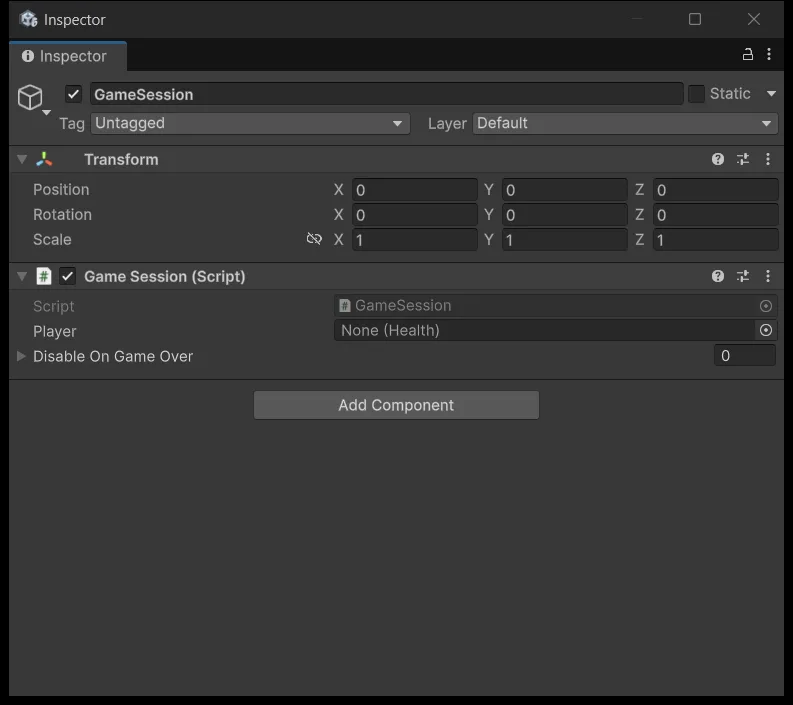
| Field | Reference |
|---|---|
| Player | The Player's Health |
| Disable On Game Over [0] | PlayerMovement |
| [1] | PlayerShooting |
| [2] | WaveSpawner |
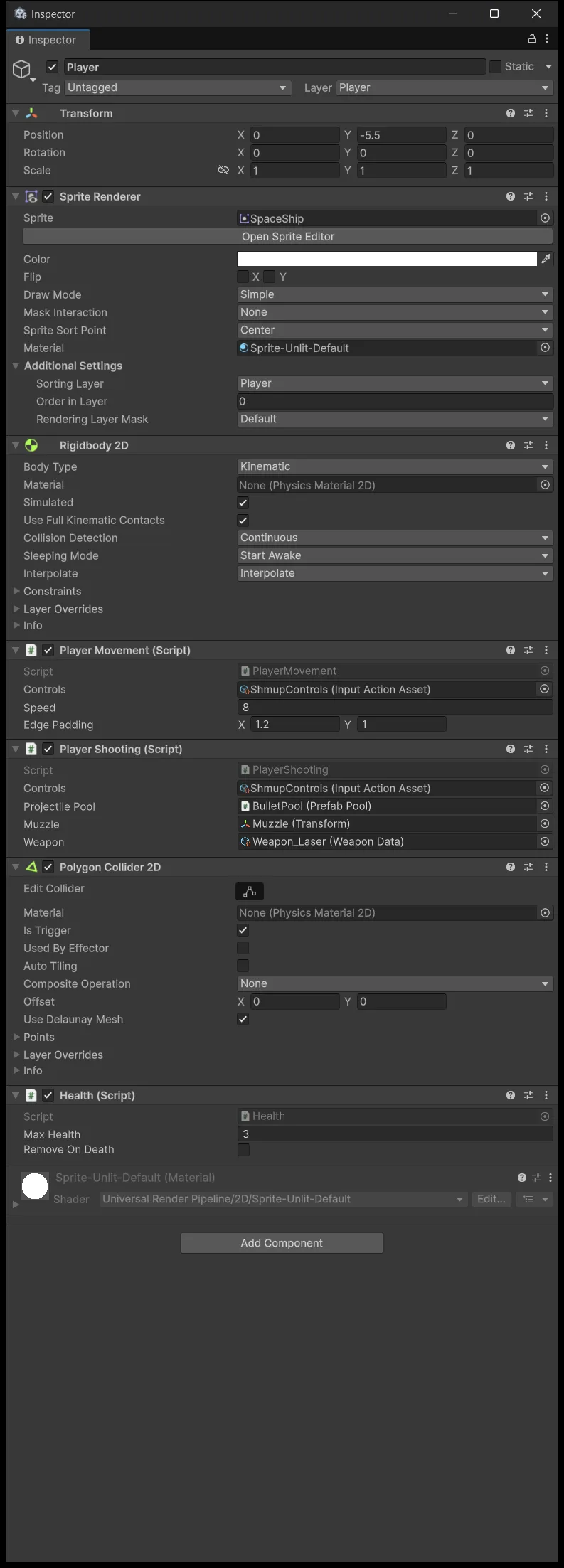
| [3] | The Player's PolygonCollider2D |
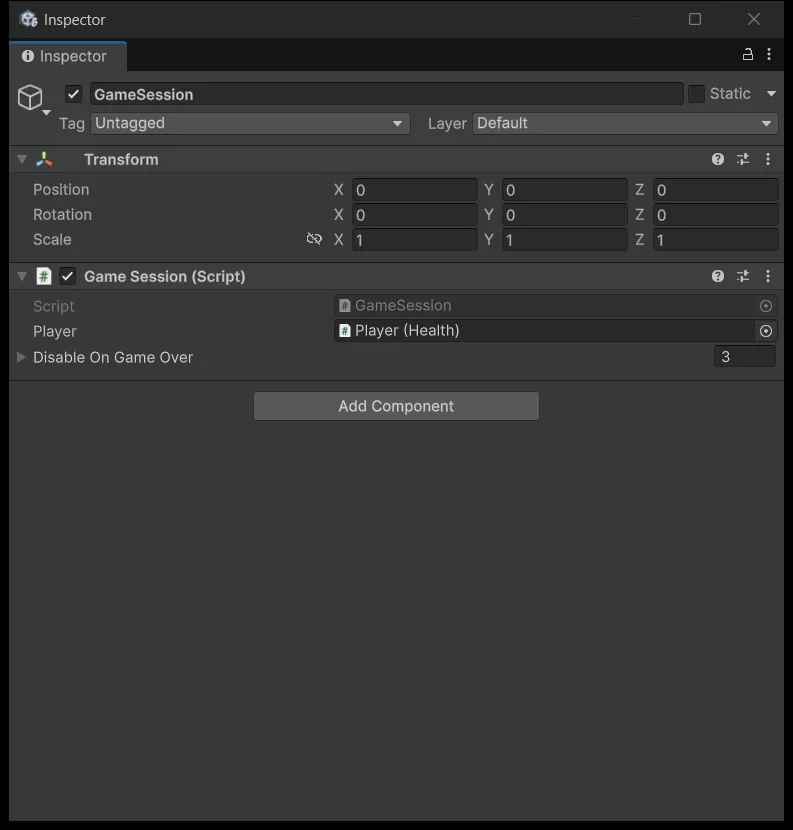
The fourth element is the ship's collider, and it is in the list for a concrete reason: leave it enabled after death and enemies keep ramming the ship while Health keeps firing events. If your ship has several child colliders, add all of them.
Double-check that the Player's Health still has Remove On Death = false from lesson 5. If it gets destroyed on death, every reference pointing at it turns into Missing.
Build the HUD
This is what you are building:
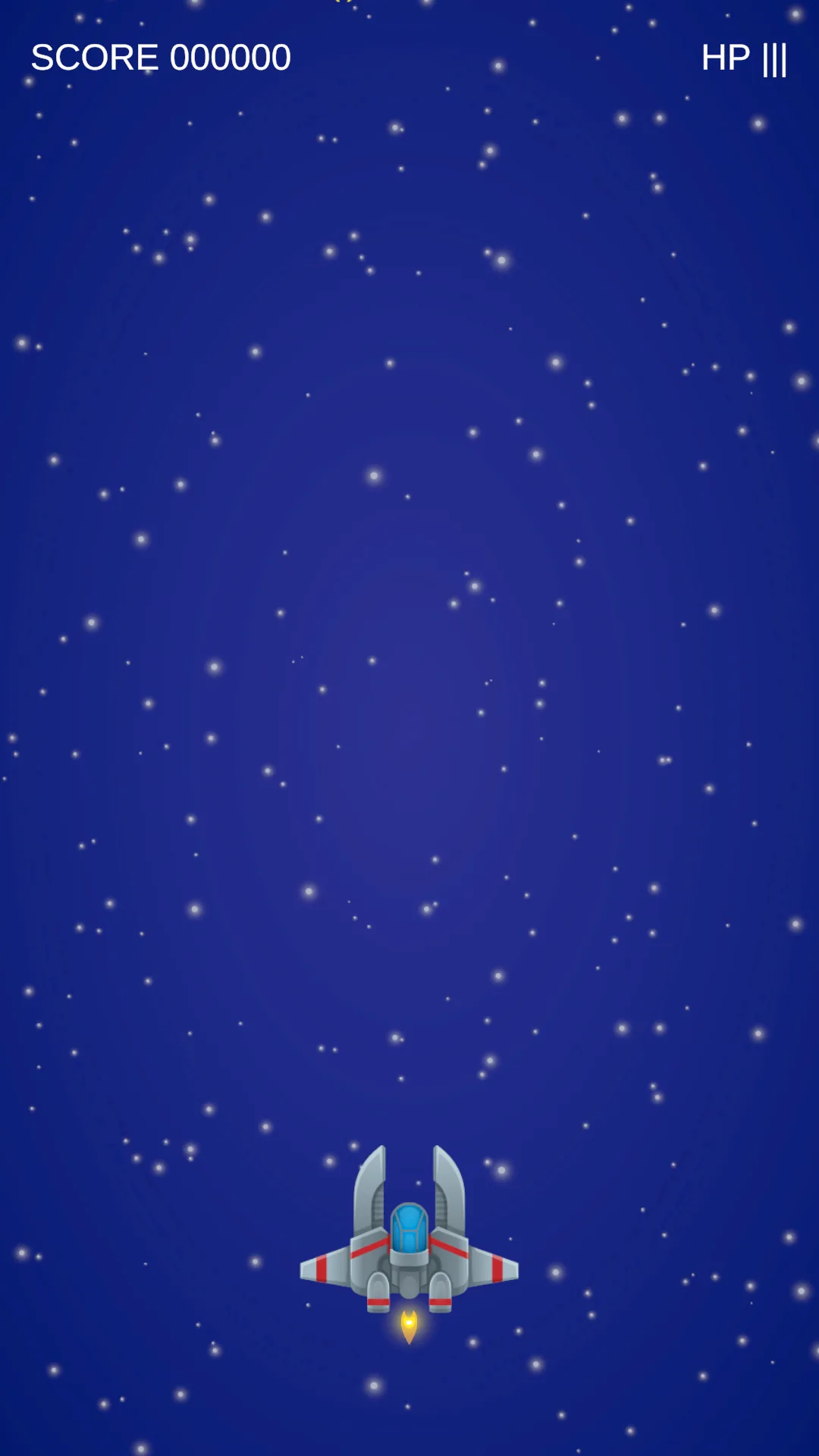
Create GameObject → UI → Canvas and name it HUD. Leave Render Mode as Screen Space Overlay. Set Canvas Scaler to Scale With Screen Size, Reference Resolution 1080 × 1920, Match 0.5. The first time you create a TMP Text, Unity offers to import TMP Essentials — accept.
The EventSystem must use InputSystemUIInputModule. If Unity created a StandaloneInputModule, its Inspector shows a Replace button; click it. That module brings its own default UI actions for clicking and navigating, so this lesson adds no UI map to ShmupControls.
The object tree to build:
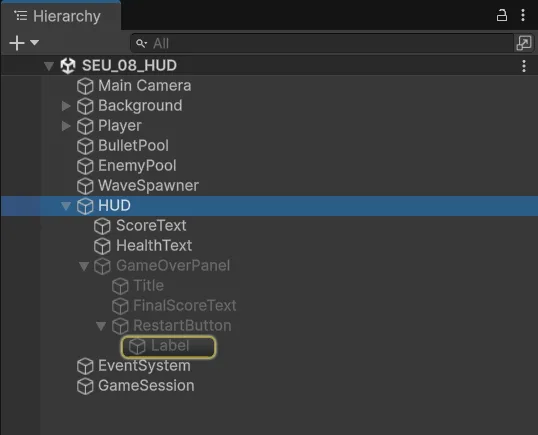
| Object | Anchor / Pivot | Pos / Size | Text |
|---|---|---|---|
| ScoreText | (0,1) / (0,1) | (40,−40) / (600,70) | 48, left aligned |
| HealthText | (1,1) / (1,1) | (−40,−40) / (400,70) | 48, right aligned |
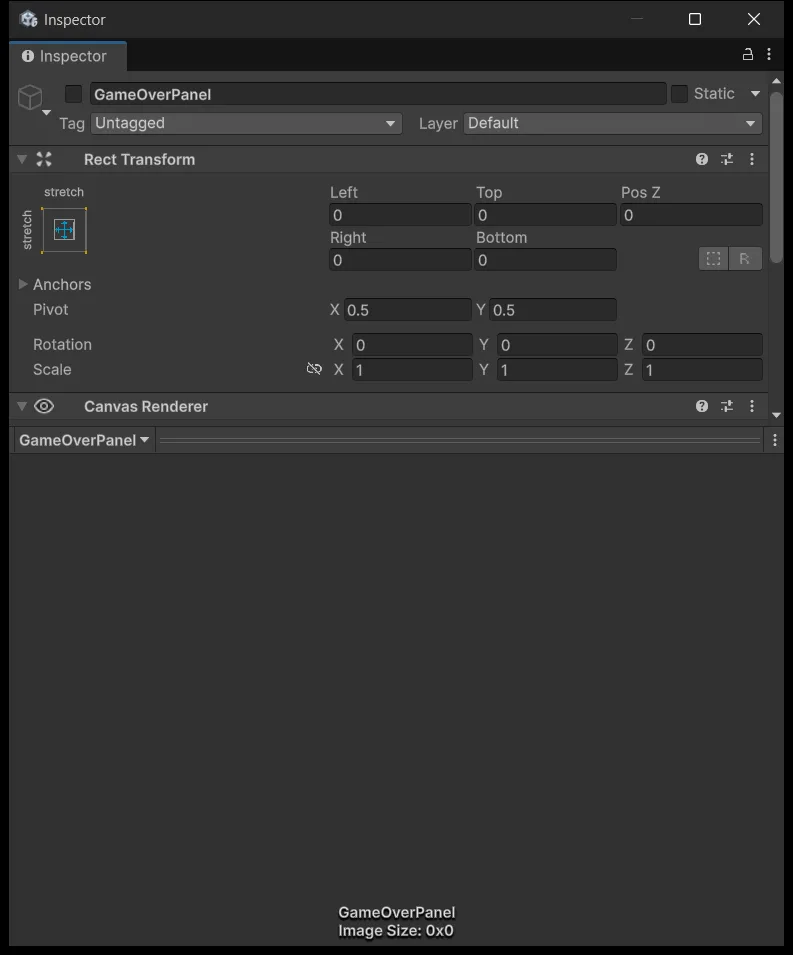
| GameOverPanel | stretch both axes | all four offsets = 0 | Black Image, alpha 0.75 |
| Title, child of panel | centre / centre | (0,200) / (900,160) | GAME OVER, 120 |
| FinalScoreText | centre / centre | (0,40) / (900,80) | 56 |
| RestartButton | centre / centre | (0,−160) / (480,130) | TMP Label child, RESTART |
Anchor and Pivot sound similar but are different things. The anchor is the point on the parent that the widget attaches to. The pivot is the widget's own origin, and also the centre it rotates and scales around. ScoreText has both in the top left corner, so when the frame aspect changes it stays glued to that corner instead of drifting toward the middle.
Create GameOverPanel and then switch it off immediately, since it only appears after death. Disable the panel, not the HUD Canvas.
Wire HudView
ShootEmUp.asmdef needs references to Unity.TextMeshPro and UnityEngine.UI alongside Input System and Common. The lesson 8 package already has that configuration.
Assets/_ShootEmUp/Scripts/UI/HudView.cs
using ShootEmUp.Combat;
using ShootEmUp.Core;
using TMPro;
using UnityEngine;

namespace ShootEmUp.UI
{
    public sealed class HudView : MonoBehaviour
    {
        [Header("Sources")]
        [SerializeField] private GameSession session;
        [SerializeField] private Health playerHealth;

        [Header("Widgets")]
        [SerializeField] private TMP_Text scoreText;
        [SerializeField] private TMP_Text healthText;
        [SerializeField] private GameObject gameOverPanel;
        [SerializeField] private TMP_Text finalScoreText;

        private void OnEnable()
        {
            session.ScoreChanged += OnScoreChanged;
            session.GameOver += OnGameOver;
            playerHealth.Changed += OnHealthChanged;

            OnScoreChanged(session.Score);
            OnHealthChanged(playerHealth);
            gameOverPanel.SetActive(session.IsOver);
            if (session.IsOver) OnGameOver();
        }

        private void Start()
        {
            OnScoreChanged(session.Score);
            OnHealthChanged(playerHealth);
        }

        private void OnDisable()
        {
            session.ScoreChanged -= OnScoreChanged;
            session.GameOver -= OnGameOver;
            playerHealth.Changed -= OnHealthChanged;
        }
        public void OnRestartClicked()
        {
            session.Restart();
        }

        private void OnScoreChanged(int score)
        {
            scoreText.text = $"SCORE {score:000000}";
        }

        private void OnHealthChanged(Health health)
        {
            healthText.text = $"HP {new string('|', health.Current)}{new string('.', health.Max - health.Current)}";
        }

        private void OnGameOver()
        {
            finalScoreText.text = $"FINAL SCORE {session.Score}";
            gameOverPanel.SetActive(true);
        }
    }
}
The notable part is that HudView both subscribes to events and reads current state directly inside OnEnable, then reads it again in Start. That sounds redundant, but events only report changes, so a HUD that only listens would sit blank until the first change happens. A player entering a new run has to see 0 points and three health bars immediately, not after taking a hit.
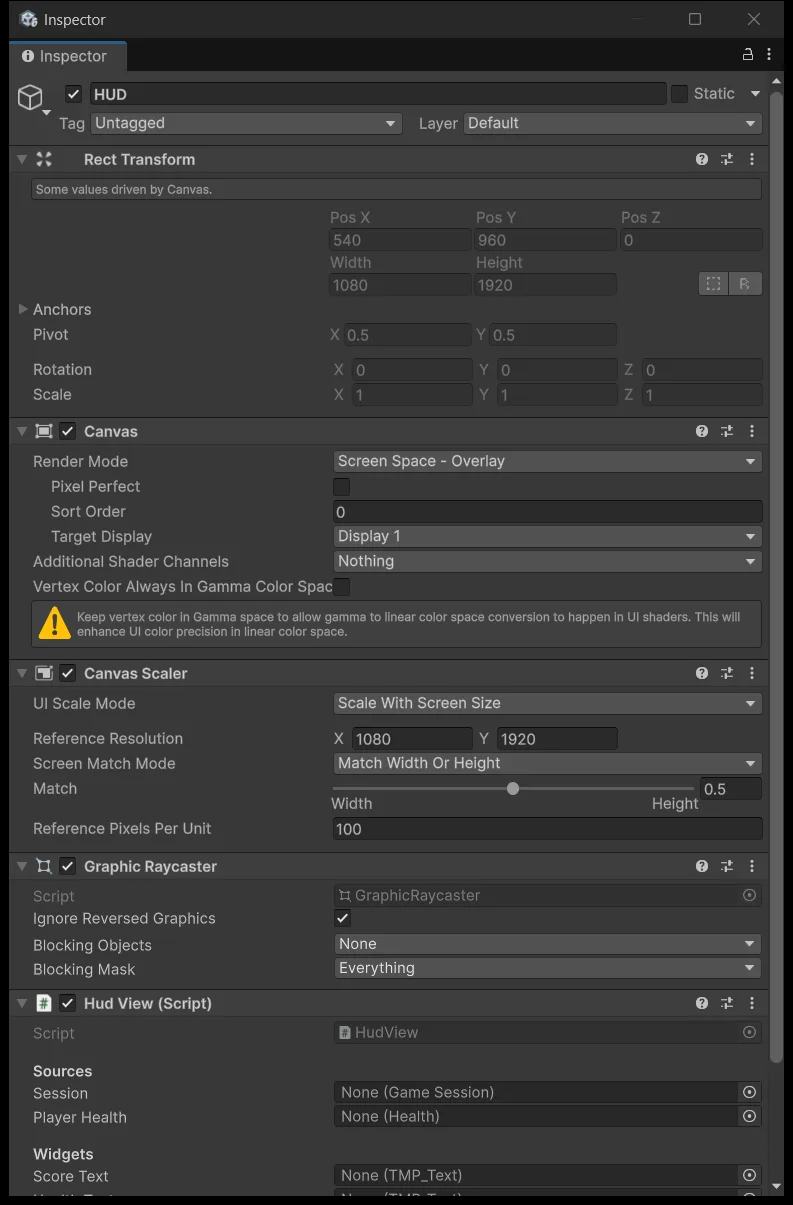
Attach HudView to the HUD object. Six reference fields start empty:
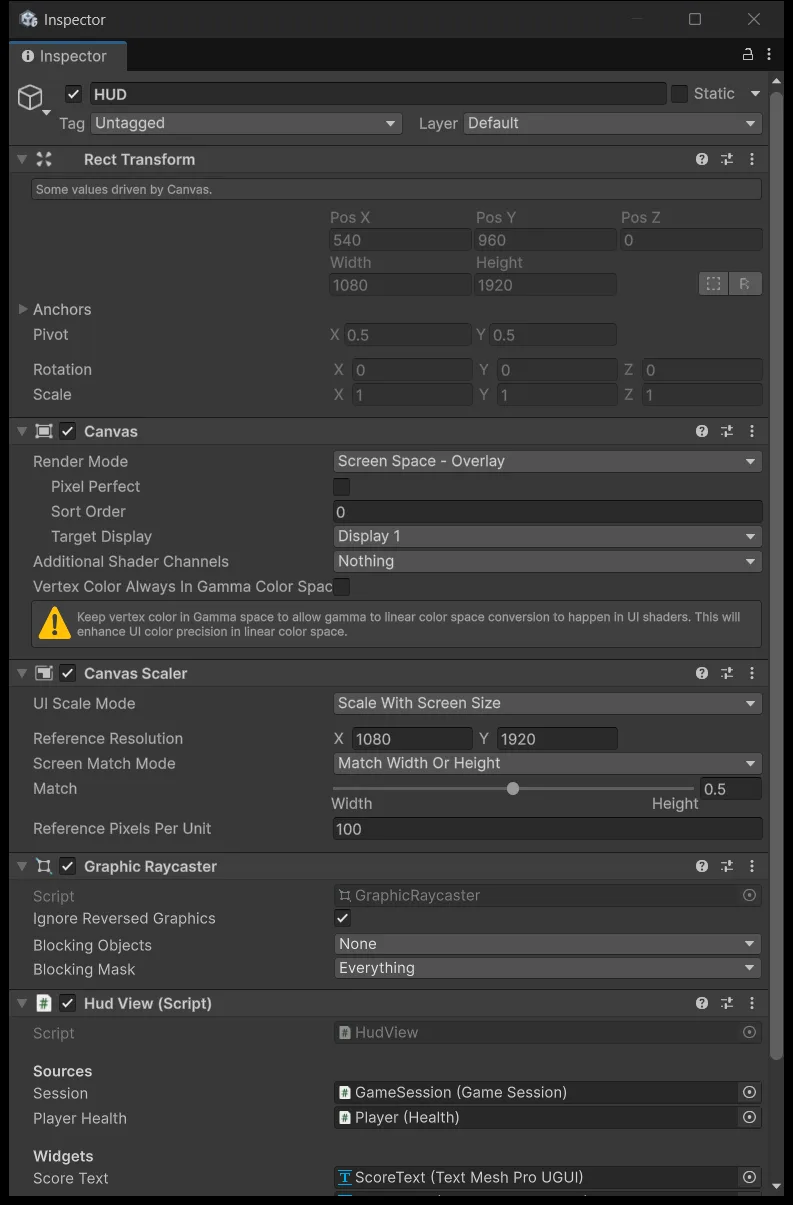
Wire Session and Player Health from the Hierarchy, and the four widgets from the HUD tree itself:
Finally the Restart button. Select RestartButton, find On Click () on the Button component, press +, drag the HUD object into the object slot, then open the dropdown and choose HudView → OnRestartClicked.
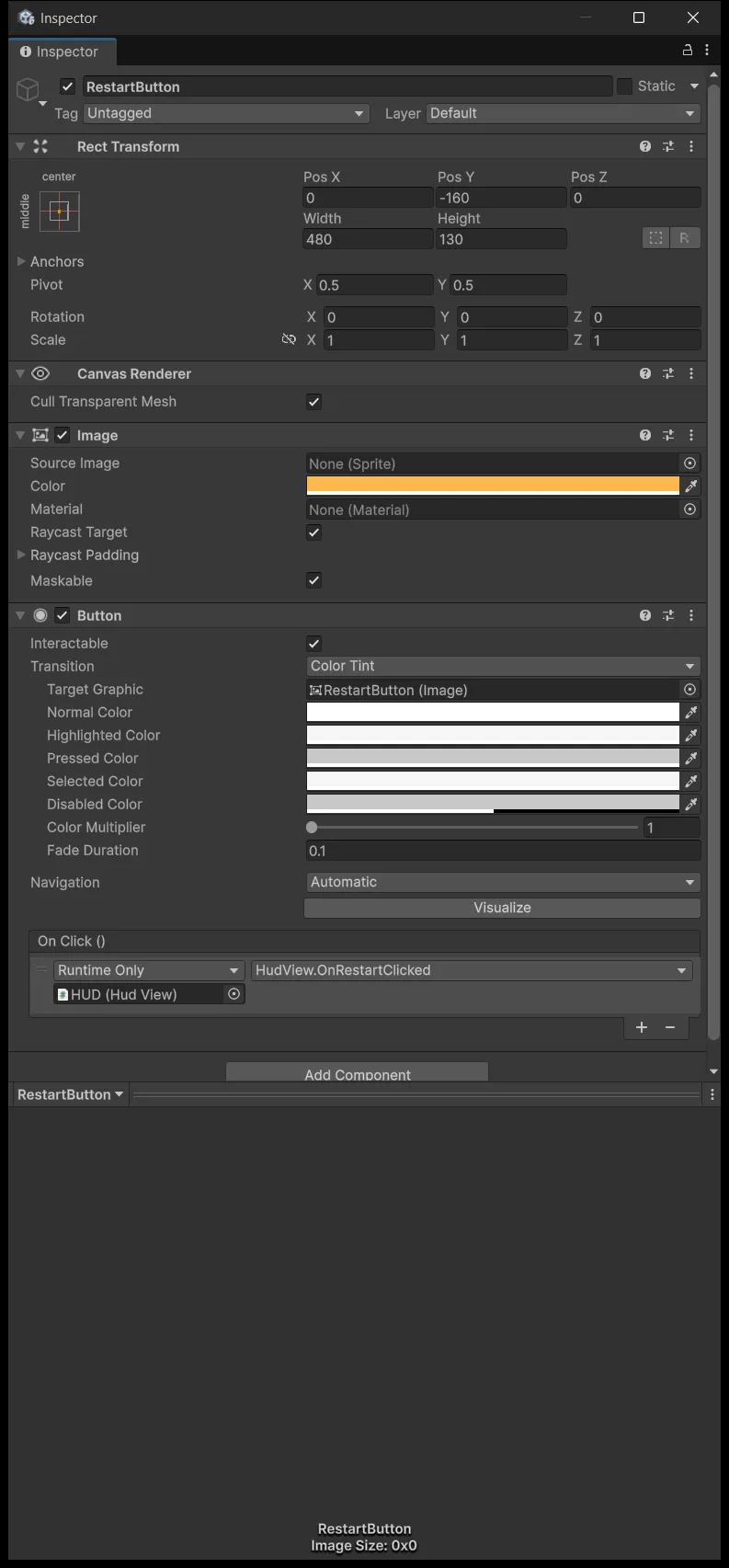
This is the single most common mistake when building UI, because getting it wrong produces no error at all: the button presses down, springs back, and nothing happens. The two usual errors are leaving the object slot empty, and picking a function from the Dynamic group instead of OnRestartClicked in the group below.
Open File → Build Profiles → Scene List and add the currently open SEU_08_HUD. Restart reloads the scene by build index, so an unregistered scene makes that call throw.
Run all three states

A new run must show SCORE 000000 and three full health bars before the first hit lands.
Killing an InsectBasic awards 10 points. Letting one drift off the bottom awards 0, because it goes through Release rather than TakeDamage, exactly as separated in lesson 5.
Take three hits: the panel appears, the keys stop working, enemies ramming the ship do nothing because its collider is off, and the spawner stops producing.
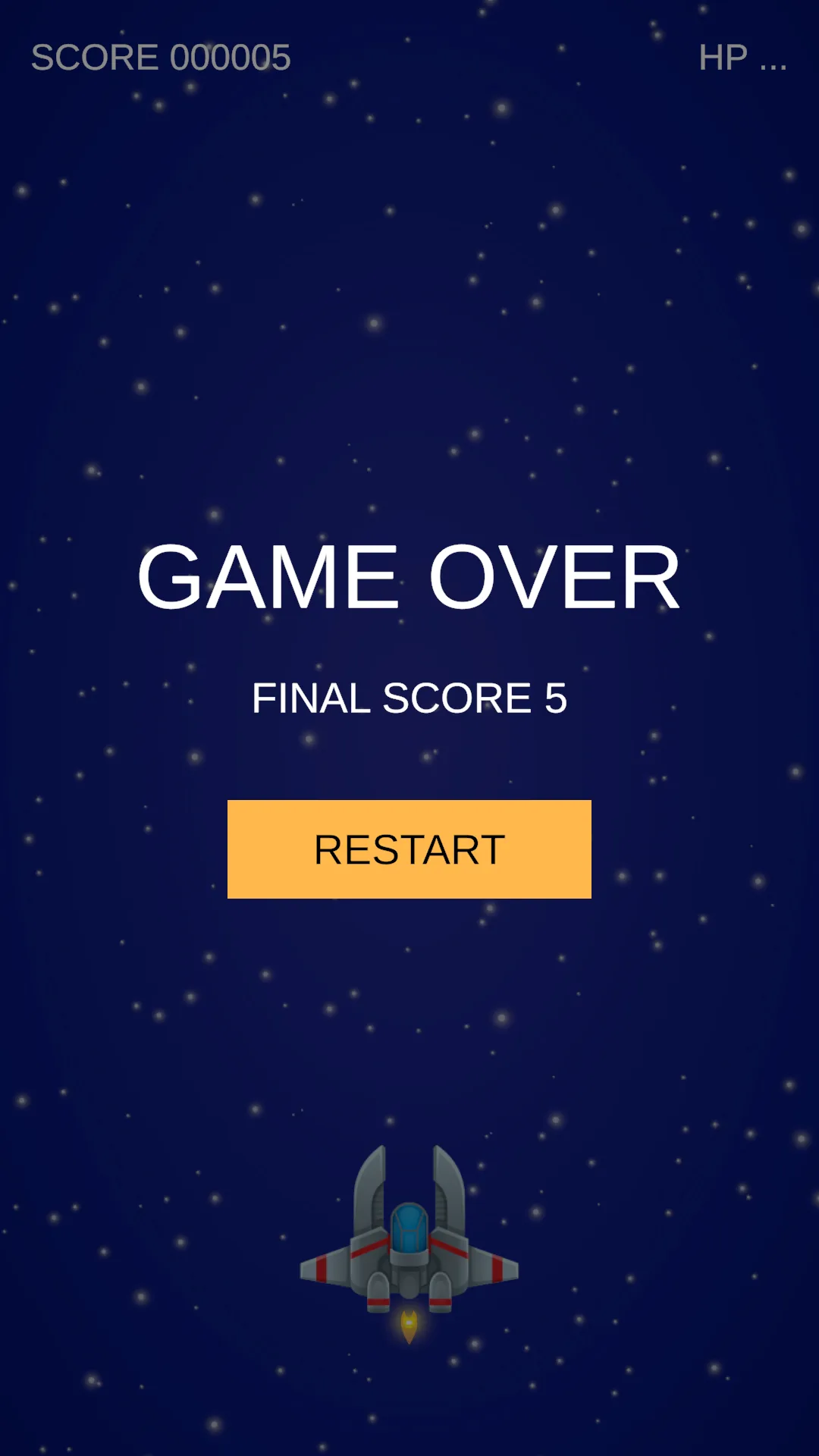
The ship is still there rather than gone:
Press Restart three times and play three full runs. The score has to return to 0 each time, health refills, and each kill scores exactly once. If the score doubles after a restart, a listener failed to unsubscribe — check OnDisable. If references to the ship turn into Missing, check Remove On Death.
The run lifecycle is now closed. The next lesson adds something that drops when an enemy dies.
Source for this stage
Download the lesson 8 scripts — code and assembly definitions only, no scenes, prefabs, or the pictured artwork. When upgrading from an earlier lesson, overwrite files at the same paths.
Next: Shmup #9.