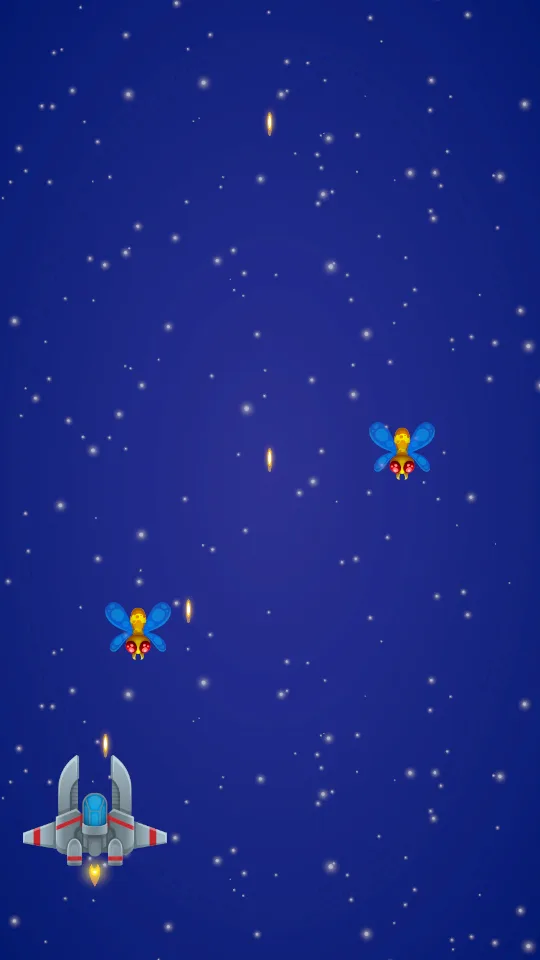
Our bullet → enemy: 1 HP lost, bullet disappears.
Enemy → ship: 1 HP lost when the overlap begins, enemy keeps flying.
Our bullet → ship / enemy → enemy: ignored.
Write the rules before choosing components
So far bullets pass straight through everything. This lesson defines a rule for each collision pair: our bullets damage enemies, enemies damage the ship on contact, and every other pair is ignored. The hard part is not the code — it is the checkbox grid in Physics 2D, because one wrong tick means bullets fly through enemies and the Console says nothing at all.
Start from the pooled shooting system and save the scene as SEU_05_Enemies. The result is three enemies descending with 2 HP each against a ship with 3 HP. There is no HUD yet, so you verify by watching objects get cleaned up, or by reading Health through the Inspector in Debug mode.
Four things cooperate here. Collider2D describes an object's contact area. Trigger reports that two areas overlap without pushing them apart. Rigidbody2D brings an object into the physics simulation. Layer Collision Matrix selects which pairs are worth testing. Only once all four are clear does ticking checkboxes mean anything.
The rules table becomes a tick matrix
Go to Project Settings → Tags and Layers and create the free user layers: Player, PlayerProjectile, Enemy, EnemyProjectile, Pickup. Their index numbers do not have to match my screenshot.
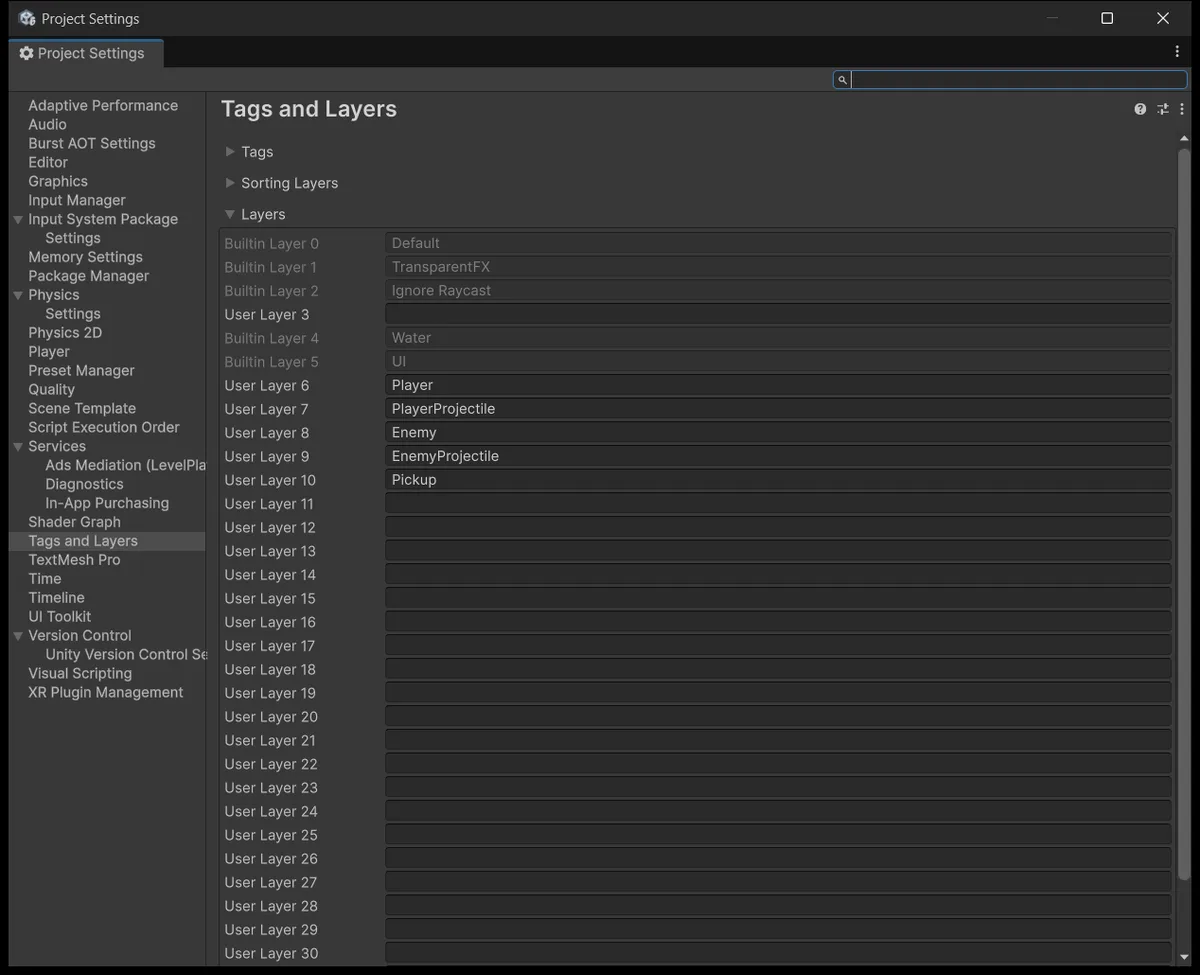
Now open Project Settings → Physics 2D → Layer Collision Matrix. Among those five layers, enable exactly four pairs:
| Pair | Enabled | Why |
|---|---|---|
| PlayerProjectile × Enemy | Yes | Our bullets hit enemies |
| Player × Enemy | Yes | Enemies ram the ship |
| Player × EnemyProjectile | Yes | For the enemy-fire exercise |
| Player × Pickup | Yes | Used in lesson 9 |
| Every other pair among these five | No | No interaction in this game |
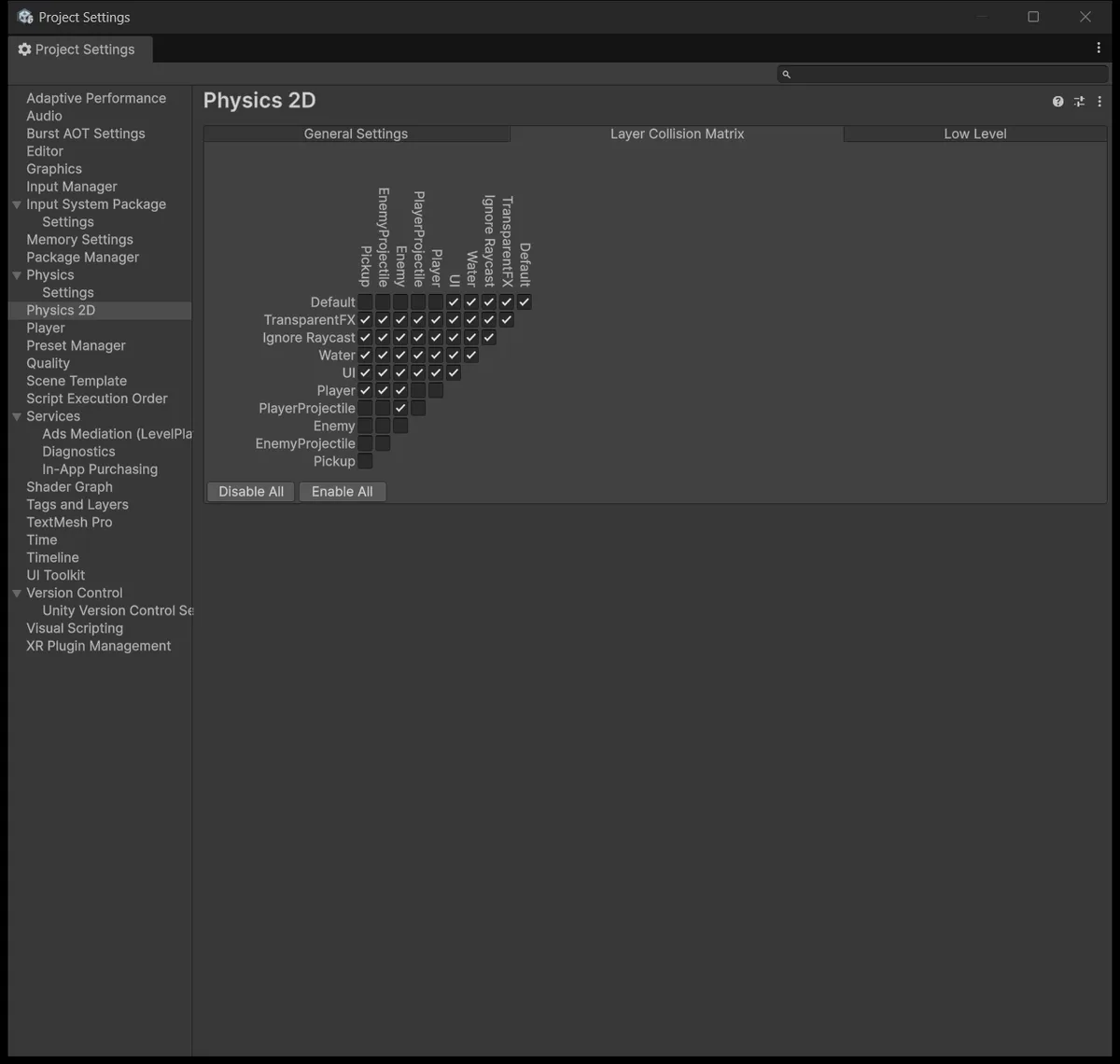
This is the screenshot to study closely. The matrix is a triangular grid with layer names running vertically, and a single cell sits at the intersection of a row and a column that can be far apart. Tick one cell off by a row and physics silently skips that pair — bullets pass through enemies, and the Console prints nothing. Compare the screenshot against your own screen before moving on.
Worth repeating the lesson 1 distinction now that both appear together: Sorting Layer decides which sprite draws over which, Layer decides which pairs physics considers. Get Sorting right and Layer wrong and the picture looks fine while no collisions happen.
One thing about triggers before wiring anything: per Unity's RigidbodyType2D.Kinematic documentation, triggers are the exception to the Kinematic–Kinematic restriction. Two kinematic objects do receive each other's triggers without enabling Full Kinematic Contacts. The remaining conditions: at least one side needs a Rigidbody2D, and both must use 2D physics rather than mixing in 3D.
Health owns hit points, DamageOnContact owns the hit
The flow we need: receive an overlap, find Health, subtract, announce the change, announce death if it reaches zero, then clean up according to each type's own policy. Enemies return to a pool or get destroyed. The ship stays, so lesson 8 can still read its HP to show a Game Over screen.
Assets/_ShootEmUp/Scripts/Combat/Health.cs
using System;
using BillLab.Common.Pooling;
using UnityEngine;

namespace ShootEmUp.Combat
{
    [DefaultExecutionOrder(-100)]
    public sealed class Health : MonoBehaviour
    {
        [Tooltip("Hit points at spawn. Restored every time the object is enabled, so pooled objects come back full.")]
        [SerializeField] private int maxHealth = 1;

        [Tooltip("Enemies and projectiles vanish when they die (pool release or Destroy). The player ship stays so the HUD and Game Over screen can still read it.")]
        [SerializeField] private bool removeOnDeath = true;

        public int Max => maxHealth;
        public int Current { get; private set; }
        public bool IsDead => Current <= 0;
        public bool Invulnerable { get; set; }
        public event Action<Health> Changed;
        public event Action<Health> Damaged;
        public event Action<Health> Died;

        private void OnEnable()
        {
            Current = maxHealth;
            Invulnerable = false;
            Changed?.Invoke(this);
        }
        public void SetMax(int value)
        {
            maxHealth = Mathf.Max(1, value);
            Current = maxHealth;
            Changed?.Invoke(this);
        }

        public void Heal(int amount)
        {
            if (IsDead || amount <= 0) return;
            Current = Mathf.Min(maxHealth, Current + amount);
            Changed?.Invoke(this);
        }

        public void TakeDamage(int amount)
        {
            if (IsDead || Invulnerable || amount <= 0) return;

            Current = Mathf.Max(0, Current - amount);
            Changed?.Invoke(this);
            Damaged?.Invoke(this);
            if (!IsDead) return;

            Died?.Invoke(this);
            if (!removeOnDeath) return;

            var pooled = GetComponent<PooledObject>();
            if (pooled != null) pooled.Release();
            else Destroy(gameObject);
        }
    }
}
Current is per-instance state refilled in OnEnable, following the pooling rule from lesson 4. A recycled enemy therefore always starts at full health.
The three events serve three different purposes, and splitting them this way means lessons 8 and 10 need no changes here. Changed fires whenever the number moves, healing included, which suits a HUD. Damaged fires only on a real hit, so lesson 10 can drive a flash and an impact sound without flashing when you pick up a health drop. Died fires exactly once when HP reaches zero.
[DefaultExecutionOrder(-100)] makes Health initialise ahead of ordinary components. Without it, a listener whose OnEnable runs earlier could read Current before it has been filled.
Now the part that deals damage.
Assets/_ShootEmUp/Scripts/Combat/DamageOnContact.cs
using BillLab.Common.Pooling;
using UnityEngine;
namespace ShootEmUp.Combat
{
    [RequireComponent(typeof(Collider2D))]
    public sealed class DamageOnContact : MonoBehaviour
    {
        [SerializeField, Min(0)] private int damage = 1;
        [SerializeField] private bool releaseSelfOnHit = true;
        public int Damage { get => damage; set => damage = Mathf.Max(0, value); }
        private bool consumed;
        private void OnEnable() => consumed = false;
        private void OnTriggerEnter2D(Collider2D other)
        {
            if (consumed || !isActiveAndEnabled) return;
            var health = other.GetComponentInParent<Health>();
            if (health == null || health.IsDead) return;
            if (releaseSelfOnHit) consumed = true;
            health.TakeDamage(damage);
            if (!releaseSelfOnHit) return;
            var pooled = GetComponent<PooledObject>();
            if (pooled != null) pooled.Release();
            else Destroy(gameObject);
        }
    }
}
The ordering inside OnTriggerEnter2D is where this lesson goes past the usual tutorial. The consumed flag is set before TakeDamage is called, not after.
Here is why. One bullet can touch two enemies with overlapping colliders inside a single physics step, and Unity calls OnTriggerEnter2D twice in a row before the object has a chance to deactivate. Set the flag after subtracting health and the second call still gets through, so one bullet kills two enemies. Set it before and the second call is blocked on the first line. This is the finished rule for the lesson, not a stopgap waiting for the wave lesson to fix. The flag resets in OnEnable for the next lifetime.
GetComponentInParent<Health>() rather than GetComponent, because the collider may live on a child object. On the ship, Health sits on the parent while a collider might be somewhere below it.
Make enemies descend and leave the screen
Create both files below before adding the EnemyMover component.
Assets/_ShootEmUp/Scripts/Core/ScreenBounds.cs
using UnityEngine;

namespace ShootEmUp.Core
{
    public static class ScreenBounds
    {
        public static Rect Get(Camera camera = null)
        {
            if (camera == null) camera = Camera.main;

            var halfHeight = camera.orthographicSize;
            var halfWidth = halfHeight * camera.aspect;
            var center = (Vector2)camera.transform.position;
            return new Rect(center.x - halfWidth, center.y - halfHeight, halfWidth * 2f, halfHeight * 2f);
        }
    }
}
Assets/_ShootEmUp/Scripts/Enemies/EnemyMover.cs
using BillLab.Common.Pooling;
using ShootEmUp.Core;
using UnityEngine;

namespace ShootEmUp.Enemies
{
    [RequireComponent(typeof(Rigidbody2D), typeof(PooledObject))]
    public sealed class EnemyMover : MonoBehaviour
    {
        [Tooltip("World units per second, downwards.")]
        [SerializeField] private float speed = 3f;

        [Tooltip("Extra distance below the screen before the enemy is recycled, so it fully disappears first.")]
        [SerializeField] private float despawnMargin = 2f;

        private Rigidbody2D body;
        private PooledObject pooled;
        private float despawnY;

        private void Awake()
        {
            body = GetComponent<Rigidbody2D>();
            pooled = GetComponent<PooledObject>();
        }

        private void OnEnable()
        {
            despawnY = ScreenBounds.Get().yMin - despawnMargin;
        }

        private void FixedUpdate()
        {
            body.MovePosition(body.position + Vector2.down * (speed * Time.fixedDeltaTime));

            if (body.position.y < despawnY)
            {
                pooled.Release();
            }
        }
    }
}
ScreenBounds packages the camera-region arithmetic in one place, because lessons 7 and 9 reuse it to pick spawn positions and cleanup thresholds.
An enemy leaving the screen is returned via Release and never passes through TakeDamage. That distinction matters for lesson 8: an enemy that drifts off the bottom does not count as killed and scores nothing, while one you shoot does.
despawnMargin lets the enemy leave the frame completely before disappearing, so players never watch one evaporate on the bottom edge.
Configure the three object types
Three objects, one rules table from the top of the lesson, three different setups.
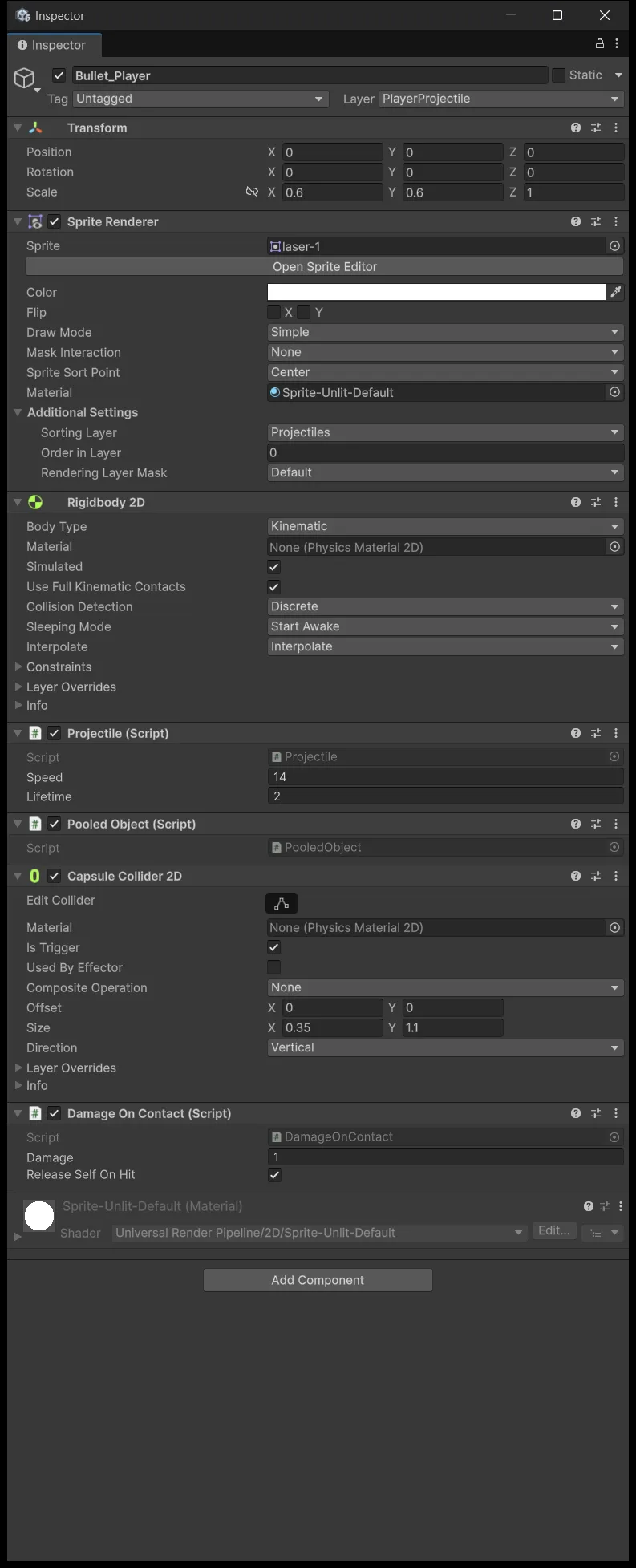
The Bullet_Player prefab. Set Layer to PlayerProjectile. Add a CapsuleCollider2D with Is Trigger enabled, roughly (0.35, 1.1) depending on your laser sprite. The Rigidbody 2D stays Kinematic from lesson 3. Add DamageOnContact with Damage 1 and Release Self On Hit enabled, because a bullet that hits should disappear.
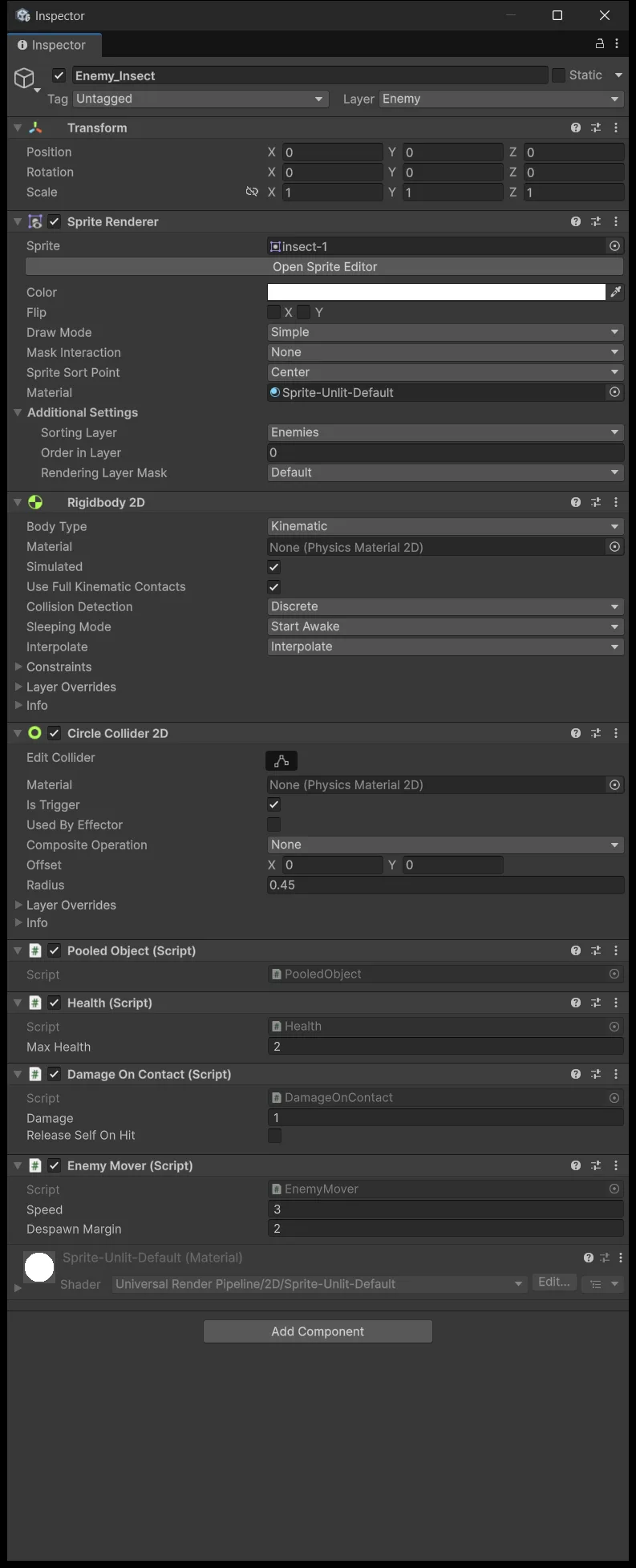
The Enemy_Insect prefab. Build it from your enemy sprite. Layer Enemy, a CircleCollider2D trigger with radius around 0.45. Rigidbody 2D Kinematic, plus PooledObject, Health with Max 2 and Remove On Death enabled, EnemyMover with Speed 3, and DamageOnContact with Damage 1 but Release Self On Hit disabled — an enemy that rams the ship keeps flying rather than vanishing.
The Player object in the scene. Layer Player, a PolygonCollider2D trigger fitted to the hull. The Kinematic Rigidbody 2D is already there from lesson 2. Add Health with Max 3 and Remove On Death disabled, because the ship must survive its own death.
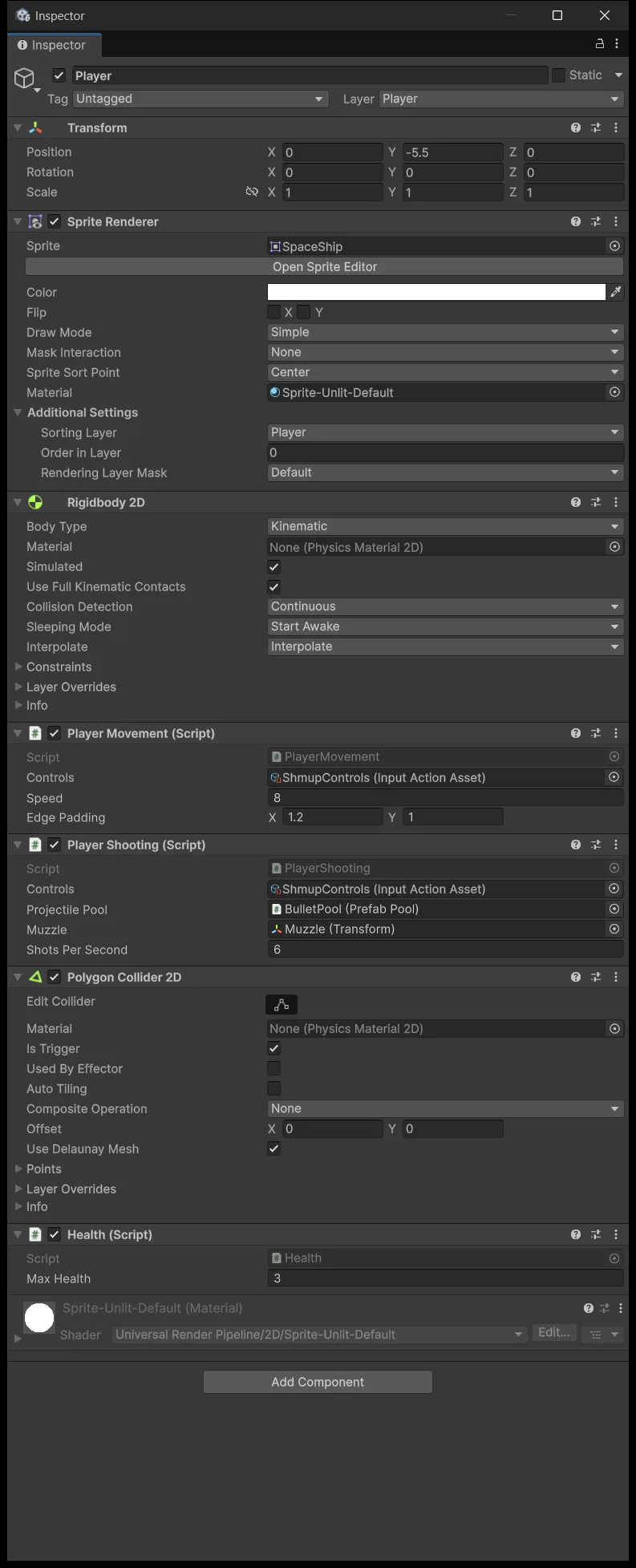
Collider Size and Radius values are in local units and are affected by the object's scale. Turn on gizmos in Scene view to confirm the real hit area sits where you think it does, rather than trusting the numbers.
Enemies at this stage already carry PooledObject but are still placed by hand with no pool owning them. When one calls Release without an owner it falls into the else Destroy branch written in lesson 4, so it still behaves correctly. Lesson 7 attaches them to a real pool.
Place three enemies
Drag the enemy prefab into the scene three times, at (−2.2, 9.5), (0, 11), and (2.2, 12.5).
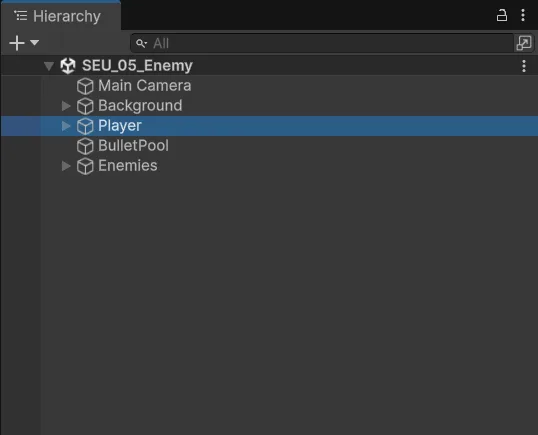
All three sit above Y = 8, the camera's top edge, so pressing Play brings them into frame from outside rather than popping them into the middle of the screen. Three different heights make them arrive one at a time, which makes each one easy to observe.
A test matrix instead of one playthrough
Run one situation at a time, each checking exactly one rule.
Shoot a single enemy: the first bullet does not kill it because it has 2 HP, the second does. The enemy disappears, and so does the bullet the moment it connects rather than flying on.
Let an enemy touch the ship: the ship's HP drops by exactly 1 at the moment the overlap begins. Leave the two objects overlapping and HP does not keep draining every frame, because OnTriggerEnter2D fires once per contact. Separate and touch again and it is a new contact, so HP drops again.
Place two enemies on top of each other and fire one bullet into the overlap: only one takes damage. That is the consumed rule above, and the Console must stay clean with no already released lines.
Fire nothing at all: all three drift to the bottom and get cleaned up. Check the Hierarchy has none left.
Take three hits on the ship: it stays in the scene rather than disappearing, because Remove On Death is off. The HUD and stopping the run come in lesson 8.
If hits never register, work from the outside in: Layer Collision Matrix, then Is Trigger, then Rigidbody2D, then the collider shape, and only then position. If hits register but the health numbers are wrong, that is a different level entirely — check Damage and Max Health.
Source for this stage
Download the lesson 5 scripts — code and assembly definitions only, no scenes, prefabs, or the pictured artwork. When upgrading from an earlier lesson, overwrite files at the same paths.
Next: Shmup #6.