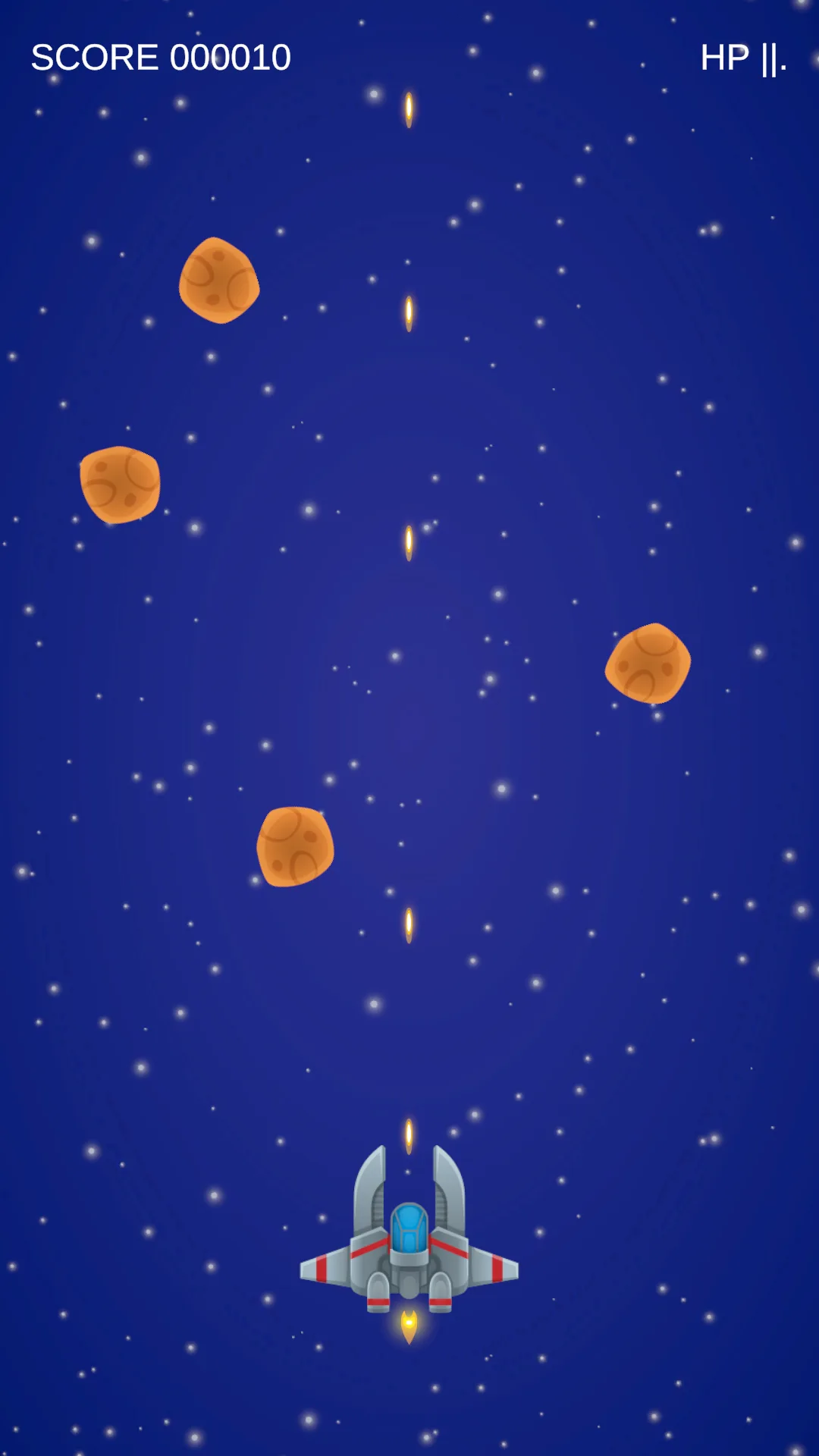
HP drops, enemies vanish, score climbs.
Hear the shot, see the hit, register the kill, feel the ship take damage.
Start from what the player needs to notice
The run already obeys every rule. But firing makes no sound, taking a hit shows nothing, and enemies die in silence. This lesson changes not one damage number. It only makes the rules that already exist visible to the player.
Save the scene as SEU_10_Juice. The lesson splits into four independent stages — audio, flash, explosions, shake — and each one works on its own. Finish and verify a stage before moving to the next, because four overlapping effects are very hard to debug together.
| Event | Sound | Visual | Camera |
|---|---|---|---|
| Fired | Small laser | Bullet already exists | None |
| Enemy.Damaged | Optional | Brief flash | None |
| Enemy.Killed | Explosion | Burst at the death position | Light shake |
| Player.Damaged | Distinct hit | Ship flash | Stronger shake |
| Collected | Pickup | Shield if applicable | None |
| GameOver | Ending sound | Panel already exists | None |
The principle throughout: gameplay only announces events, and listeners turn events into feedback. One kill should not have to call AudioSource, a particle system, and the camera itself. The test is that disabling every listener leaves the run obeying all its rules, having lost only the sight and sound.
Stage 1: audio
Use short clips you have, or grab Kenney Sci-fi Sounds. Pick five and name them by role inside Audio/SFX: Laser, Explosion, Hit, Pickup, GameOver.
Replace PlayerShooting and PlayerPowerups with the lesson 10 versions, which add the Fired and Collected events. Health already has its own Damaged event from lesson 5, and this is where that decision pays off: Damaged fires only on a genuine hit, so healing never triggers an impact sound.
Assets/_ShootEmUp/Scripts/Audio/GameSfx.cs
using ShootEmUp.Combat;
using ShootEmUp.Core;
using ShootEmUp.Enemies;
using ShootEmUp.FX;
using ShootEmUp.Player;
using UnityEngine;

namespace ShootEmUp.Audio
{
    [RequireComponent(typeof(AudioSource))]
    public sealed class GameSfx : MonoBehaviour
    {
        [Header("Sources")]
        [SerializeField] private PlayerShooting playerShooting;
        [SerializeField] private PlayerPowerups playerPowerups;
        [SerializeField] private Health playerHealth;
        [SerializeField] private GameSession session;
        [SerializeField] private CameraShake cameraShake;

        [Header("Clips")]
        [SerializeField] private AudioClip laser;
        [SerializeField] private AudioClip explosion;
        [SerializeField] private AudioClip hit;
        [SerializeField] private AudioClip pickup;
        [SerializeField] private AudioClip gameOver;

        [Header("Mix")]
        [SerializeField, Range(0f, 1f)] private float laserVolume = 0.35f;

        private AudioSource source;

        private void Awake()
        {
            source = GetComponent<AudioSource>();
        }

        private void OnEnable()
        {
            playerShooting.Fired += OnFired;
            playerPowerups.Collected += OnCollected;
            playerHealth.Damaged += OnPlayerHealthChanged;
            session.GameOver += OnGameOver;
            Enemy.Killed += OnEnemyKilled;
        }

        private void OnDisable()
        {
            playerShooting.Fired -= OnFired;
            playerPowerups.Collected -= OnCollected;
            playerHealth.Damaged -= OnPlayerHealthChanged;
            session.GameOver -= OnGameOver;
            Enemy.Killed -= OnEnemyKilled;
        }

        private void OnFired() => source.PlayOneShot(laser, laserVolume);
        private void OnCollected(Data.PickupData _) => source.PlayOneShot(pickup);
        private void OnGameOver() => source.PlayOneShot(gameOver);

        private void OnEnemyKilled(Enemy _)
        {
            source.PlayOneShot(explosion, 0.8f);
            if (cameraShake != null) cameraShake.Shake(0.12f, 0.15f);
        }

        private void OnPlayerHealthChanged(Health h)
        {
            if (!isActiveAndEnabled) return;

            source.PlayOneShot(hit);
            if (cameraShake != null) cameraShake.Shake();
        }
    }
}
The whole class is a table mapping events to clips, and the entire OnDisable exists to unhook exactly what OnEnable hooked up. PlayOneShot lets short clips overlap on one AudioSource, unlike Play which cuts off whatever is already running.
The laserVolume default of 0.35 is a mixing decision rather than an arbitrary number. At six shots per second, a laser at full volume drowns out the sound warning you that the ship is taking damage, which is the one sound the player most needs to hear.
Create an Empty named GameSfx and add an AudioSource with Play On Awake off and Spatial Blend = 0. Spatial Blend 0 means 2D audio that plays evenly regardless of position, which is what interface SFX want.
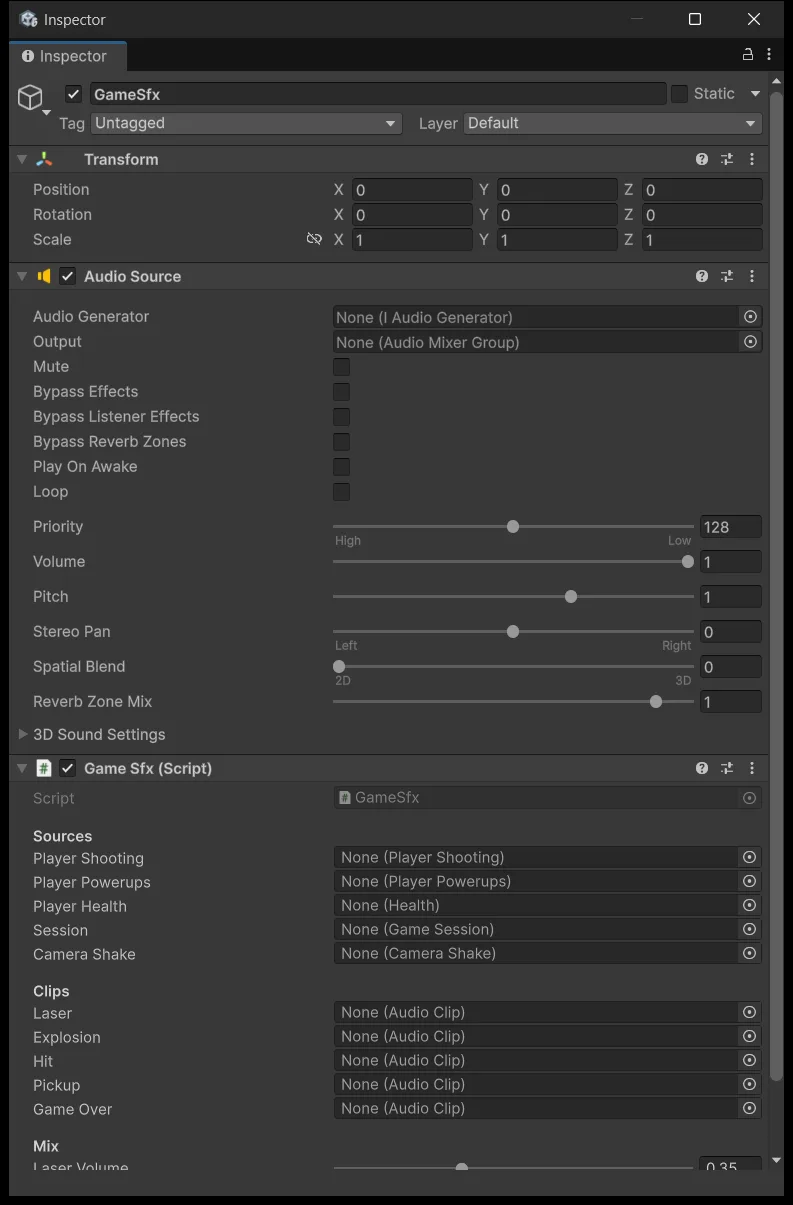
Wire the five event sources and five clips. Leave Camera Shake empty for now; the final stage fills it:
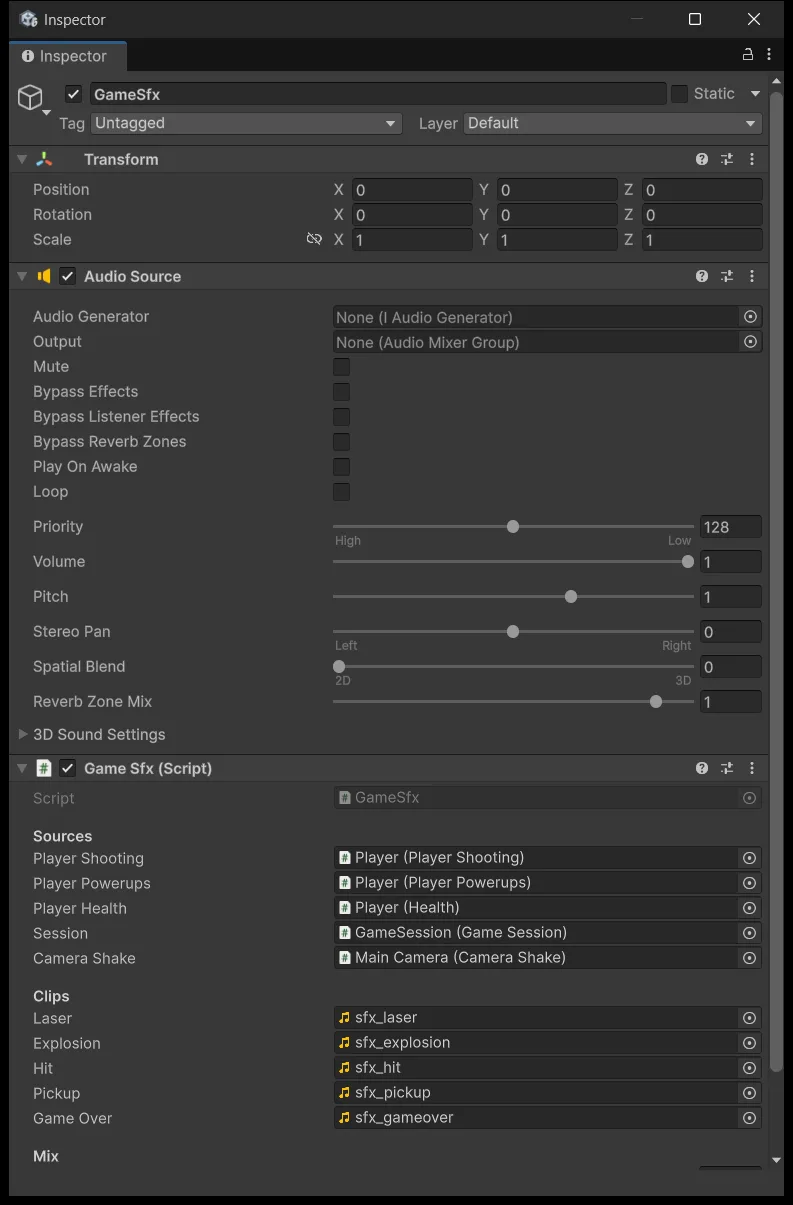
Main Camera must have exactly one active AudioListener; more than one makes Unity warn you and the audio behave strangely.
Press Play and try each action: fire, collect, take damage, kill, die. If one keypress produces two sounds, a listener is subscribed twice — check whether two GameSfx objects exist in the scene. Fix that before moving to the visuals.
Stage 2: flash
A flash changes a sprite's RGB for a very short moment and then restores it, while keeping alpha so the silhouette does not break. The shader takes a _FlashAmount parameter: 0 is the normal colour, 1 is the flash colour.
Create Art/Shaders/SpriteFlash.shader. It is a minimal unlit shader matching this series' URP setup, not a full replacement for every Sprite Renderer feature.
Full shader — open when creating the file
Assets/_ShootEmUp/Art/Shaders/SpriteFlash.shader
// Sprite shader for URP 2D: same as Sprite-Unlit, plus a _FlashAmount that blends the sprite towards _FlashColor.
// Driven per-instance from HitFlash.cs through a MaterialPropertyBlock, so every enemy shares one material.
Shader "ShootEmUp/SpriteFlash"
{
    Properties
    {
        [MainTexture] _MainTex ("Sprite Texture", 2D) = "white" {}
        [MainColor] _Color ("Tint", Color) = (1,1,1,1)
        _FlashColor ("Flash Color", Color) = (1,1,1,1)
        _FlashAmount ("Flash Amount", Range(0, 1)) = 0
    }

    SubShader
    {
        Tags { "Queue"="Transparent" "RenderType"="Transparent" "RenderPipeline"="UniversalPipeline" "IgnoreProjector"="True" "PreviewType"="Plane" }
        Cull Off
        Lighting Off
        ZWrite Off
        Blend One OneMinusSrcAlpha

        Pass
        {
            Name "Unlit"
            HLSLPROGRAM
            #pragma vertex vert
            #pragma fragment frag
            #include "Packages/com.unity.render-pipelines.universal/ShaderLibrary/Core.hlsl"

            struct Attributes
            {
                float3 positionOS : POSITION;
                float4 color      : COLOR;
                float2 uv         : TEXCOORD0;
            };

            struct Varyings
            {
                float4 positionCS : SV_POSITION;
                float4 color      : COLOR;
                float2 uv         : TEXCOORD0;
            };

            TEXTURE2D(_MainTex);
            SAMPLER(sampler_MainTex);

            CBUFFER_START(UnityPerMaterial)
                float4 _MainTex_ST;
                half4 _Color;
                half4 _FlashColor;
                half  _FlashAmount;
            CBUFFER_END

            Varyings vert(Attributes v)
            {
                Varyings o;
                o.positionCS = TransformObjectToHClip(v.positionOS);
                o.uv = TRANSFORM_TEX(v.uv, _MainTex);
                o.color = v.color * _Color;
                return o;
            }

            half4 frag(Varyings i) : SV_Target
            {
                half4 tex = SAMPLE_TEXTURE2D(_MainTex, sampler_MainTex, i.uv) * i.color;
                // lerp towards the flash colour but keep the sprite's alpha so the silhouette stays
                tex.rgb = lerp(tex.rgb, _FlashColor.rgb, _FlashAmount);
                tex.rgb *= tex.a; // premultiplied alpha, matches Blend One OneMinusSrcAlpha
                return tex;
            }
            ENDHLSL
        }
    }
    Fallback "Universal Render Pipeline/2D/Sprite-Unlit-Default"
}
The easiest thing to get wrong sits in the last two lines of frag. The fragment blends the colour first and multiplies by alpha exactly once, because the blend mode is One OneMinusSrcAlpha, which is premultiplied alpha. Multiply alpha into both the flash colour and the result and the sprite's semi-transparent edges darken in a way that is hard to explain.
Create a Mat_SpriteFlash material using the ShootEmUp/SpriteFlash shader with Flash Amount 0:
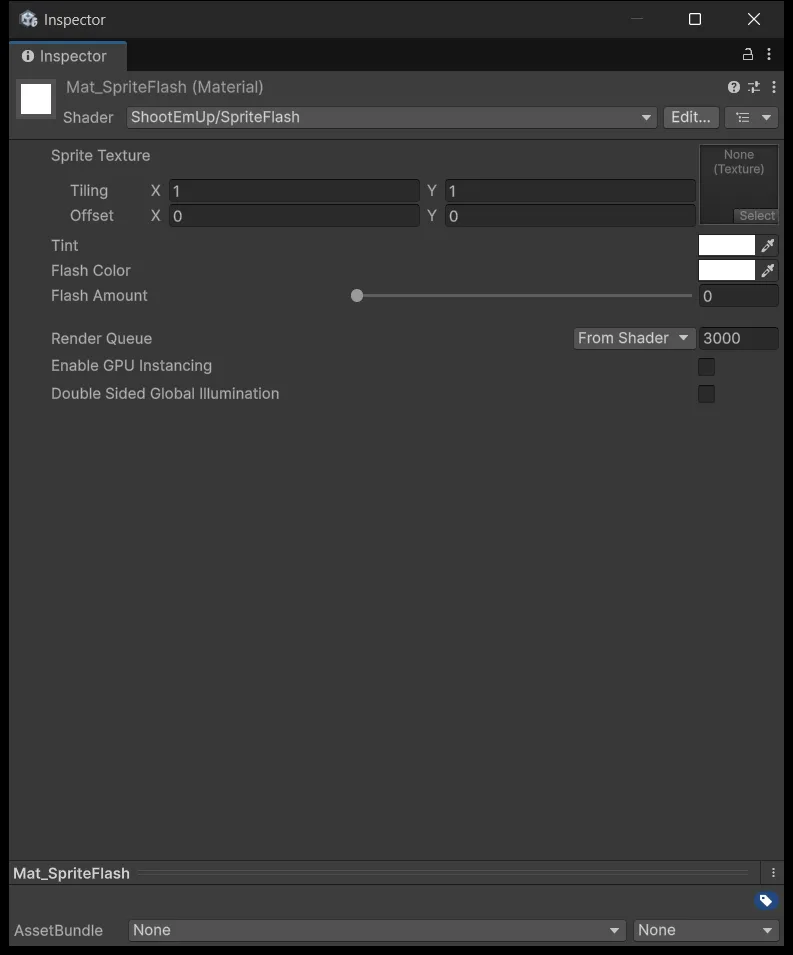
Assign that material to the Sprite Renderer on Player and on the enemy prefab, then add HitFlash to both.
Assets/_ShootEmUp/Scripts/FX/HitFlash.cs
using System.Collections;
using ShootEmUp.Combat;
using UnityEngine;

namespace ShootEmUp.FX
{
    [RequireComponent(typeof(SpriteRenderer), typeof(Health))]
    public sealed class HitFlash : MonoBehaviour
    {
        private static readonly int FlashAmount = Shader.PropertyToID("_FlashAmount");

        [SerializeField, Min(0.01f)] private float duration = 0.08f;

        private SpriteRenderer spriteRenderer;
        private Health health;
        private MaterialPropertyBlock block;
        private Coroutine routine;

        private void Awake()
        {
            spriteRenderer = GetComponent<SpriteRenderer>();
            health = GetComponent<Health>();
            block = new MaterialPropertyBlock();
            health.Damaged += OnHealthChanged;
        }

        private void OnDestroy()
        {
            health.Damaged -= OnHealthChanged;
        }

        private void OnEnable()
        {
            SetFlash(0f);
        }

        private void OnDisable()
        {
            if (routine != null) StopCoroutine(routine);
            routine = null;
            SetFlash(0f);
        }

        private void OnHealthChanged(Health h)
        {
            if (!isActiveAndEnabled) return;

            if (routine != null) StopCoroutine(routine);
            routine = StartCoroutine(Flash());
        }

        private IEnumerator Flash()
        {
            SetFlash(1f);
            yield return new WaitForSeconds(duration);
            SetFlash(0f);
            routine = null;
        }

        private void SetFlash(float amount)
        {
            spriteRenderer.GetPropertyBlock(block);
            block.SetFloat(FlashAmount, amount);
            spriteRenderer.SetPropertyBlock(block);
        }
    }
}
MaterialPropertyBlock is where this lesson goes past the usual tutorial. The common approach is spriteRenderer.material.SetFloat(...), but touching .material makes Unity clone a separate material for that renderer, so ten enemies become ten materials. A property block writes a per-renderer value while every renderer keeps sharing one material asset.
Calling SetFlash(0f) in OnEnable is the lesson 4 pooling rule applied to effects: an enemy killed mid-flash returns to the pool with _FlashAmount still at 1, and comes back pure white next spawn unless it is reset.
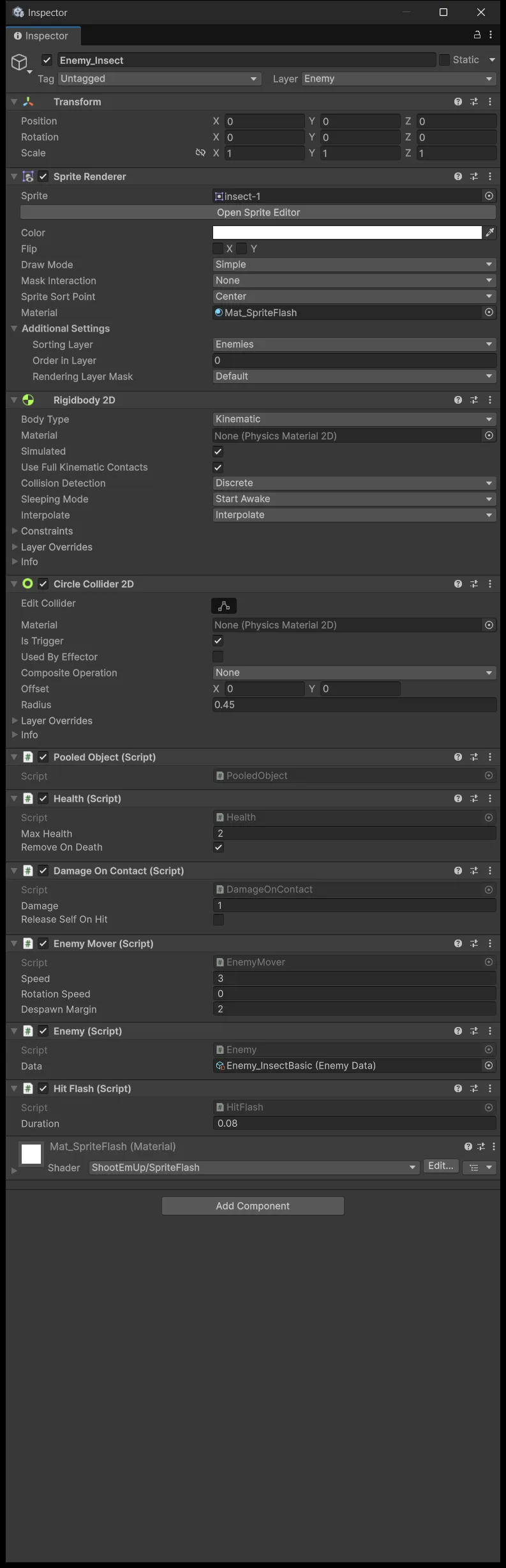
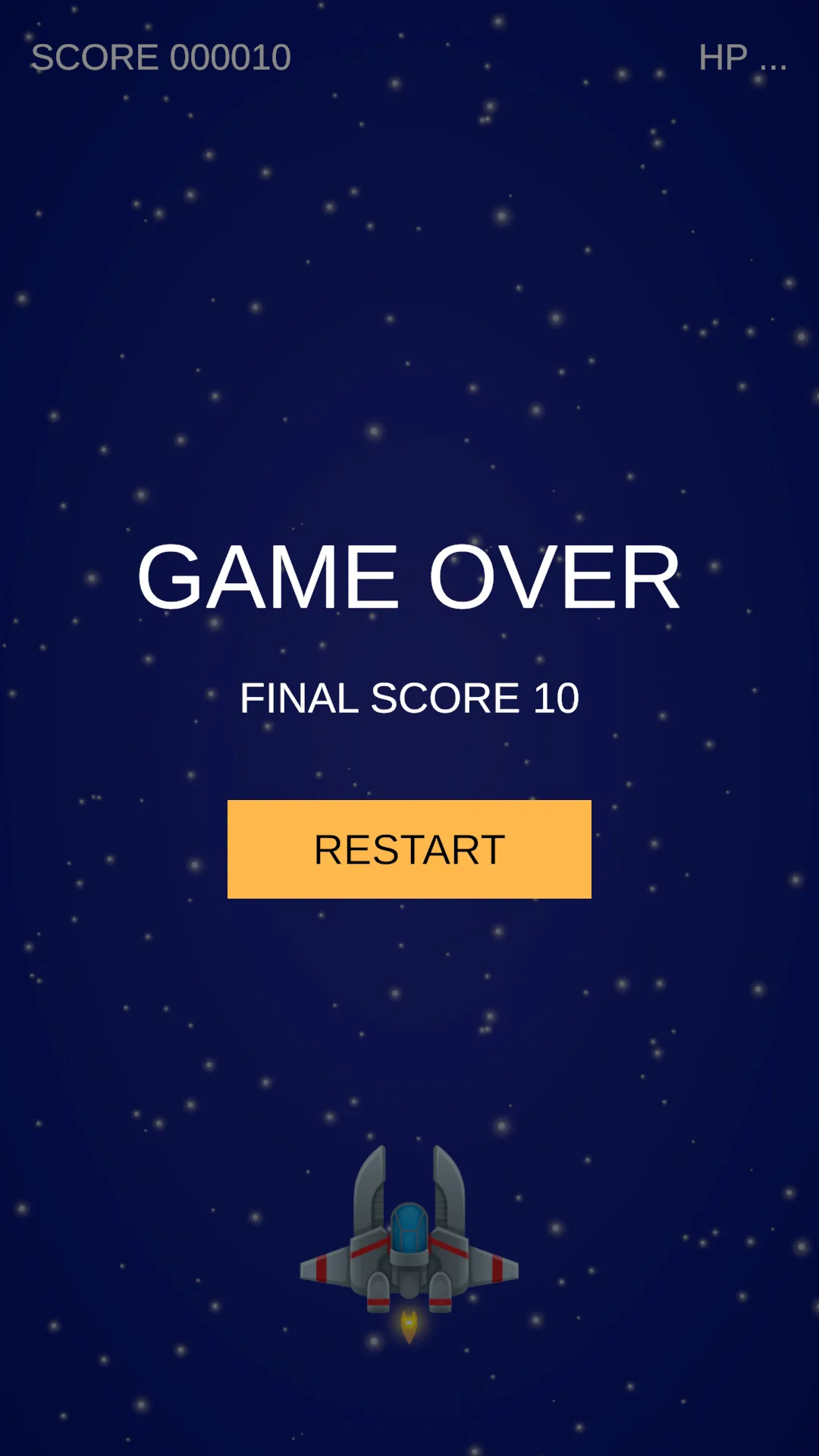
Test on a 2 HP enemy: the first hit leaves it alive so you see the flash, while the second removes it immediately, which is why the explosion in the next stage is what signals a kill. A shielded ship receives no Damaged event so it does not flash when a hit is blocked — correct, because no damage occurred.
Stage 3: explosions
Create an Empty named FX_Explosion and add a ParticleSystem:
| Module | Starting configuration |
|---|---|
| Main | Duration 0.5, Looping off, Play On Awake off |
| Main | Lifetime 0.35–0.7, Speed 2.5–6, Size 0.25–0.55 |
| Main | Simulation Space World, Stop Action Callback |
| Emission | Rate 0, Burst at 0, Count 22 |
| Shape | Circle, Radius 0.15 |
| Size over Lifetime | Falling from 1 to 0 |
| Color over Lifetime | Yellow/orange, alpha falling to 0 |
| Renderer | Sorting FX, transparent unlit particle material |
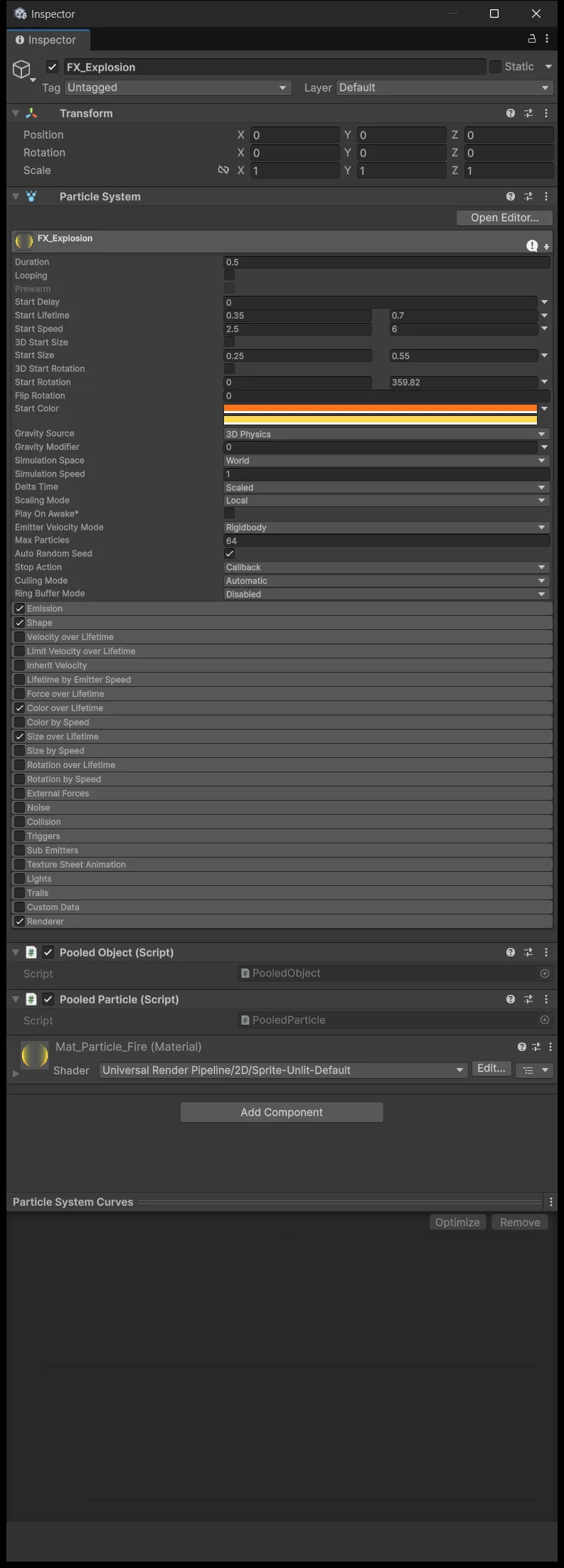
Two rows matter especially. Simulation Space World leaves the particles where the explosion happened rather than dragging them along with the object; set to Local, the explosion follows the pooled object when it gets reused. Stop Action Callback is what makes OnParticleSystemStopped fire at all, and forgetting it means the object never returns to the pool.
Build the particle material from Universal Render Pipeline/Particles/Unlit with Surface Type Transparent and a soft particle texture. Preview the ParticleSystem in Scene view to confirm particles actually appear before wiring any code, because no amount of code rescues an invisible material.
Add PooledObject and PooledParticle, then save it as a prefab.
Assets/_ShootEmUp/Scripts/FX/PooledParticle.cs
using BillLab.Common.Pooling;
using UnityEngine;

namespace ShootEmUp.FX
{
    [RequireComponent(typeof(ParticleSystem), typeof(PooledObject))]
    public sealed class PooledParticle : MonoBehaviour
    {
        private ParticleSystem system;
        private PooledObject pooled;

        private void Awake()
        {
            system = GetComponent<ParticleSystem>();
            pooled = GetComponent<PooledObject>();
        }

        private void OnEnable()
        {
            system.Play(true);
        }

        private void OnParticleSystemStopped()
        {
            pooled.Release();
        }
    }
}
Create an ExplosionPool with the FX_Explosion prefab, Prewarm 8, Max Size 30. Add ExplosionOnKill to a scene object and wire the pool in; the complete file is in the source package. It calls Get with the position and scale before the particle system is enabled, so the first burst never appears where the previous explosion happened.
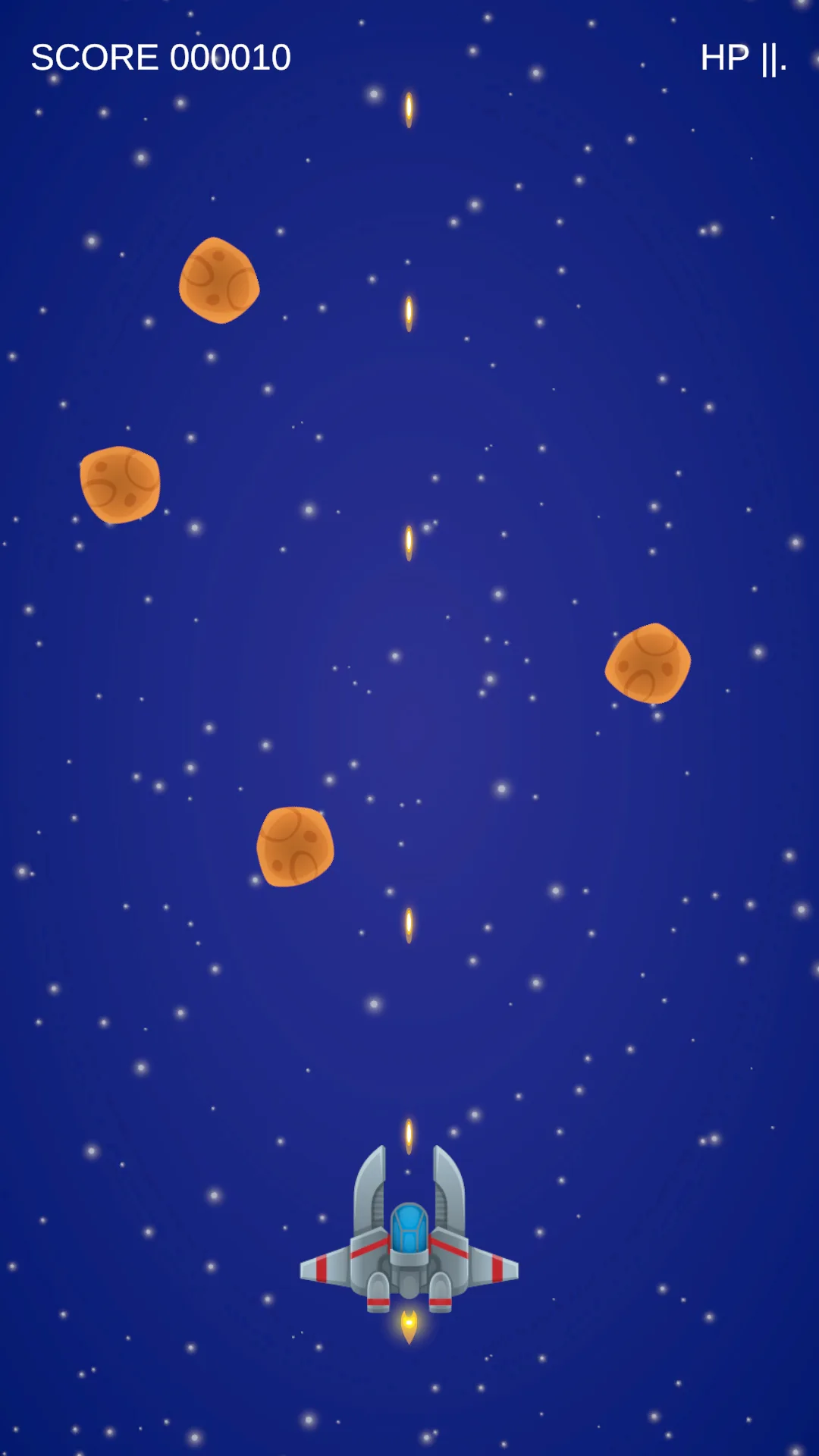
Verify: after the explosion the object returns to inactive in the Hierarchy, and killing the next enemy explodes again. If a new explosion carries leftover particles from the previous one, revisit the ParticleSystem's clear behavior.
Stage 4: camera shake
Shaking the Main Camera's position directly is the quietest mistake in this lesson. ScreenBounds reads the camera position to compute spawn regions and the ship's movement bounds, so a shaking camera shakes both of those, and the ship gets nudged with every explosion.
The fix is to separate them: create an Empty named CameraRig at (0,0,0), make Main Camera its child, and keep the camera's local position at (0,0,−10). The camera stays orthographic at Size 8 with local rotation 0. The rig stays still as the gameplay frame, and the child camera is what is allowed to shake.
Replace PlayerMovement and ScreenBounds with the lesson 10 versions from the source package: they take the gameplay centre from the CameraRig parent when one exists. Do not put the camera under some other parent with an offset outside this convention.
Attach CameraShake to Main Camera, not to the rig.
Assets/_ShootEmUp/Scripts/FX/CameraShake.cs
using System.Collections;
using UnityEngine;

namespace ShootEmUp.FX
{
    public sealed class CameraShake : MonoBehaviour
    {
        [SerializeField, Min(0f)] private float defaultStrength = 0.25f;
        [SerializeField, Min(0.01f)] private float defaultDuration = 0.2f;

        private Vector3 restPosition;
        private Coroutine routine;

        private void OnEnable()
        {
            restPosition = transform.localPosition;
        }

        private void OnDisable()
        {
            if (routine != null) StopCoroutine(routine);
            transform.localPosition = restPosition;
        }

        public void Shake() => Shake(defaultStrength, defaultDuration);

        public void Shake(float strength, float duration)
        {
            if (routine != null) StopCoroutine(routine);
            routine = StartCoroutine(Run(strength, duration));
        }

        private IEnumerator Run(float strength, float duration)
        {
            var elapsed = 0f;
            while (elapsed < duration)
            {
                elapsed += Time.deltaTime;
                var falloff = 1f - elapsed / duration;
                transform.localPosition = restPosition + (Vector3)(Random.insideUnitCircle * (strength * falloff));
                yield return null;
            }
            transform.localPosition = restPosition;
            routine = null;
        }
    }
}
falloff decays from 1 to 0, so the shake hits hard and dies away, which is how a real impact behaves. A constant-amplitude shake reads as an earthquake rather than an explosion.
A new request arriving mid-shake replaces the current one rather than stacking, thanks to the StopCoroutine at the top of Shake. And restPosition is always restored when the component is disabled, so the camera never gets stuck off-centre.
Drag this component into the Camera Shake field on GameSfx. A kill uses a light 0.12 shake over 0.15 seconds, while the ship taking damage uses the stronger default — the player can tell the two events apart by feel alone.
Combine everything and check the reuse points
Play a full run and work through this list: fire a long burst, kill several enemies close together, let a shield block a hit, let the shield expire, take a hit, reach Game Over, then Restart.
Five things must hold. No hit sound when collecting a health pickup. A recycled enemy does not flash just because its new type has less health. Explosions appear exactly where enemies died. The camera returns to its rest position after every shake. And the ship's movement bounds do not drift while the camera shakes.

The feedback layer now hangs off clearly defined events. The shader and particles are presentation only: disable GameSfx, HitFlash, and ExplosionOnKill and the run behaves exactly as it did in lesson 9.
Source for this stage
Download the lesson 10 scripts — code and assembly definitions only, no scenes, prefabs, or the pictured artwork. When upgrading from an earlier lesson, overwrite files at the same paths.
Next: Shmup #11.