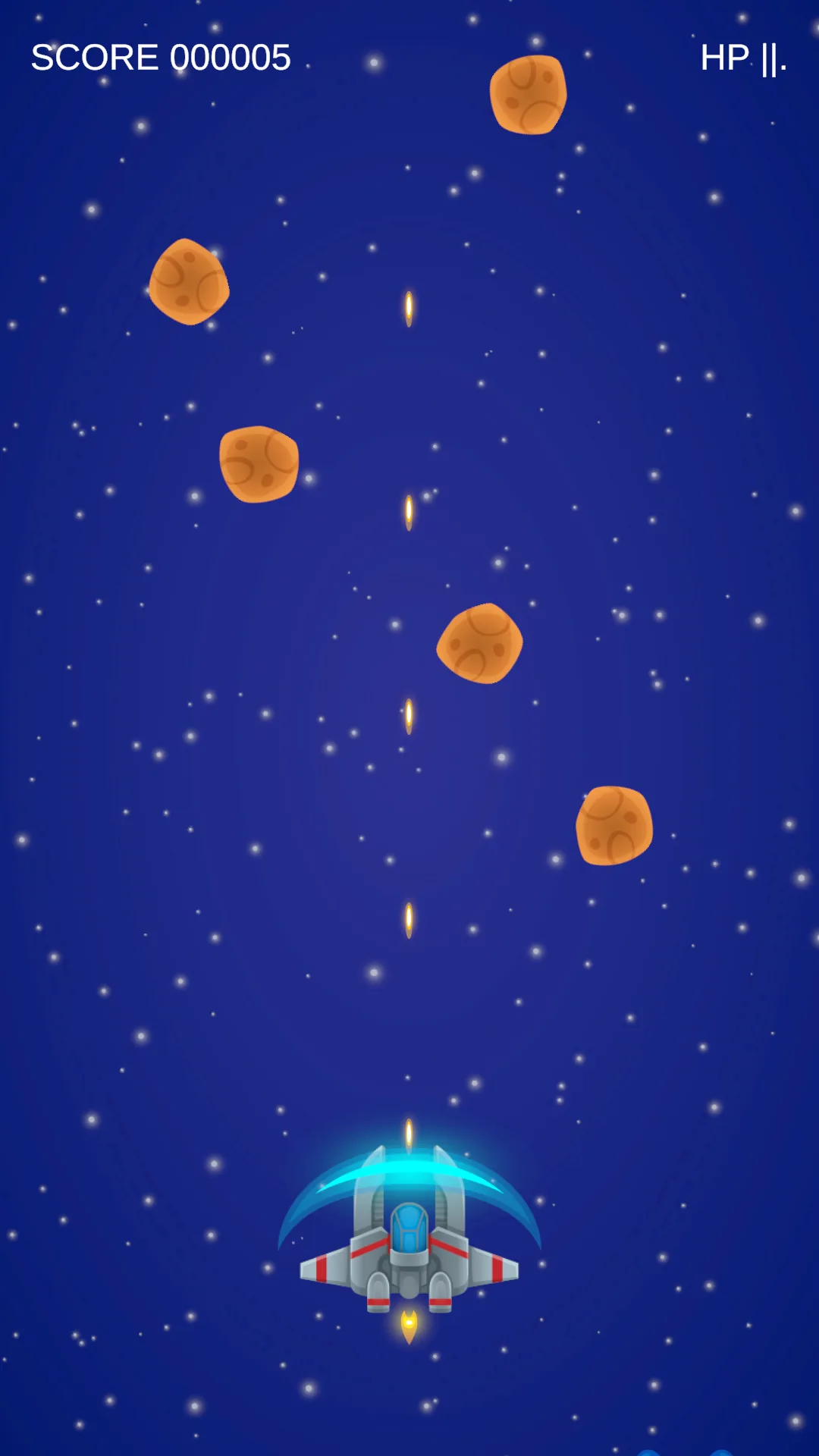
Settle the effects before writing any randomness
An enemy dies and disappears, end of story. This lesson makes enemies drop something on death. The hard part is not the randomness — it is handling a player collecting a second copy while the first one is still ticking.
Save the scene as SEU_09_Pickups. Three types, and we settle what they do before writing a single line of probability:
| Type | Effect | Collected again | Ends with |
|---|---|---|---|
| ExtraLife | Heal 1 HP, capped at Max | Heals again if not full | Immediately |
| Shield | Ignore damage for 6 seconds | Refreshes 6 seconds from now | Invulnerability and shield art off |
| RapidFire | Use Weapon_Rapid for 6 seconds | Refreshes the timer | Back to Weapon_Laser |
ExtraLife here means healing rather than a spare life, even though the name suggests otherwise. Collecting one at full health still consumes the pickup and still cannot exceed Max.
Two more rules to settle now: after Game Over no new pickups are accepted, and every running buff is cleared the moment the ship dies.
Start with one healing pickup placed by hand
Assets/_ShootEmUp/Scripts/Data/PickupData.cs
using UnityEngine;

namespace ShootEmUp.Data
{
    public enum PickupKind
    {
        ExtraLife,
        Shield,
        RapidFire,
    }
    [CreateAssetMenu(menuName = "ShootEmUp/Pickup Data", fileName = "Pickup_New")]
    public sealed class PickupData : ScriptableObject
    {
        public Sprite sprite;
        public PickupKind kind;

        [Tooltip("Seconds the effect lasts. Ignored by instant effects like Extra Life.")]
        [Min(0f)] public float duration = 6f;

        [Tooltip("Weapon swapped in while a Rapid Fire pickup is active.")]
        public WeaponData weaponOverride;

        [Min(0f)] public float fallSpeed = 2f;
    }
}
In ScriptableObjects/Pickups, create three assets from the table above: Pickup_ExtraLife (Kind ExtraLife, Fall Speed 2), Pickup_Shield and Pickup_RapidFire (Duration 6).
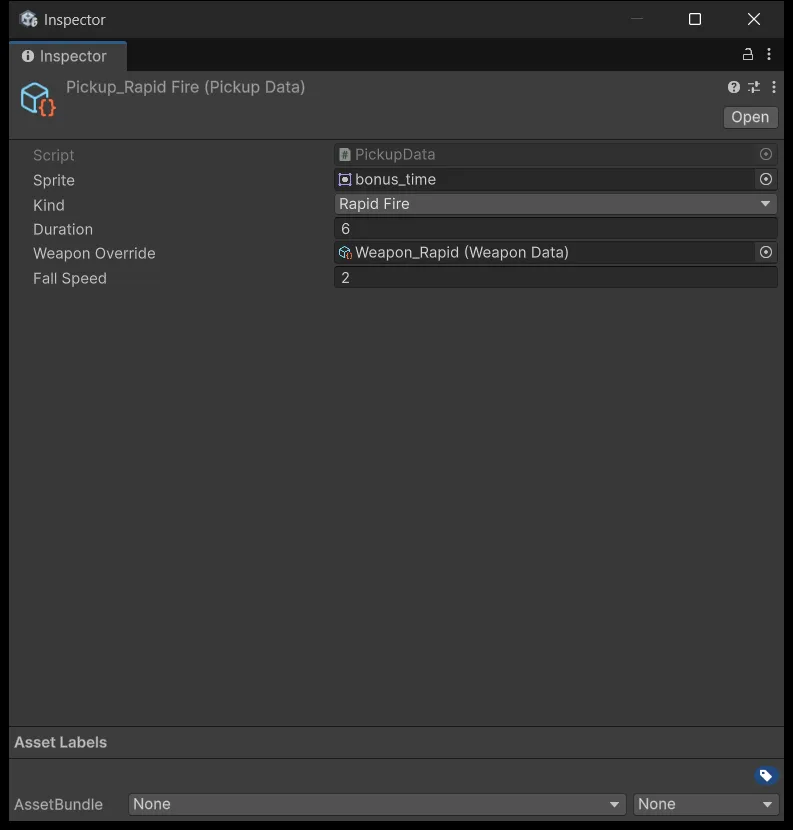
Also create Weapon_Rapid with Shots Per Second 15, Projectile Speed 14, Damage 1, and drag it into Pickup_RapidFire's Weapon Override field.
Replace PlayerShooting with the lesson 9 version from the source package. It adds OverrideWeapon and ClearOverride: while an override exists it uses the temporary gun, otherwise the original. That approach matters more than it looks — do not produce the rapid-fire effect by editing fields on Weapon_Laser, because an asset is shared configuration rather than the ship's state. Edit an asset at runtime and the numbers persist after you stop.
Assets/_ShootEmUp/Scripts/Player/PlayerPowerups.cs
using System.Collections;
using ShootEmUp.Combat;
using ShootEmUp.Data;
using UnityEngine;

namespace ShootEmUp.Player
{
    [RequireComponent(typeof(Health), typeof(PlayerShooting))]
    public sealed class PlayerPowerups : MonoBehaviour
    {
        [Tooltip("Child object shown while the shield is active (sprite 'shield').")]
        [SerializeField] private GameObject shieldVisual;

        private Health health;
        private PlayerShooting shooting;
        private Coroutine shieldRoutine;
        private Coroutine weaponRoutine;

        private void Awake()
        {
            health = GetComponent<Health>();
            shooting = GetComponent<PlayerShooting>();
        }

        private void OnEnable()
        {
            ClearEffects();
            health.Died += OnDied;
        }

        private void OnDisable()
        {
            health.Died -= OnDied;
            ClearEffects();
        }
        private void OnDied(Health _) => ClearEffects();
        private void ClearEffects()
        {
            StopAllCoroutines();
            shieldRoutine = null;
            weaponRoutine = null;
            health.Invulnerable = false;
            shooting.ClearOverride();
            if (shieldVisual != null) shieldVisual.SetActive(false);
        }

        public void Collect(PickupData data)
        {
            if (!isActiveAndEnabled || health.IsDead || data == null) return;
            switch (data.kind)
            {
                case PickupKind.ExtraLife:
                    health.Heal(1);
                    break;
                case PickupKind.Shield:
                    Restart(ref shieldRoutine, ShieldFor(data.duration));
                    break;
                case PickupKind.RapidFire:
                    Restart(ref weaponRoutine, WeaponFor(data.weaponOverride, data.duration));
                    break;
            }
        }

        private void Restart(ref Coroutine slot, IEnumerator routine)
        {
            if (slot != null) StopCoroutine(slot);
            slot = StartCoroutine(routine);
        }

        private IEnumerator ShieldFor(float seconds)
        {
            health.Invulnerable = true;
            if (shieldVisual != null) shieldVisual.SetActive(true);
            yield return new WaitForSeconds(seconds);
            health.Invulnerable = false;
            if (shieldVisual != null) shieldVisual.SetActive(false);
        }

        private IEnumerator WeaponFor(WeaponData weapon, float seconds)
        {
            shooting.OverrideWeapon(weapon);
            yield return new WaitForSeconds(seconds);
            shooting.ClearOverride();
        }
    }
}
ClearEffects is called in three places: when the component is enabled, when it is disabled, and when the ship dies. Those three cleanup moments matter as much as the moment of collection. Without them, a player who dies while shielded comes back from a restart still invulnerable until the old coroutine finishes.
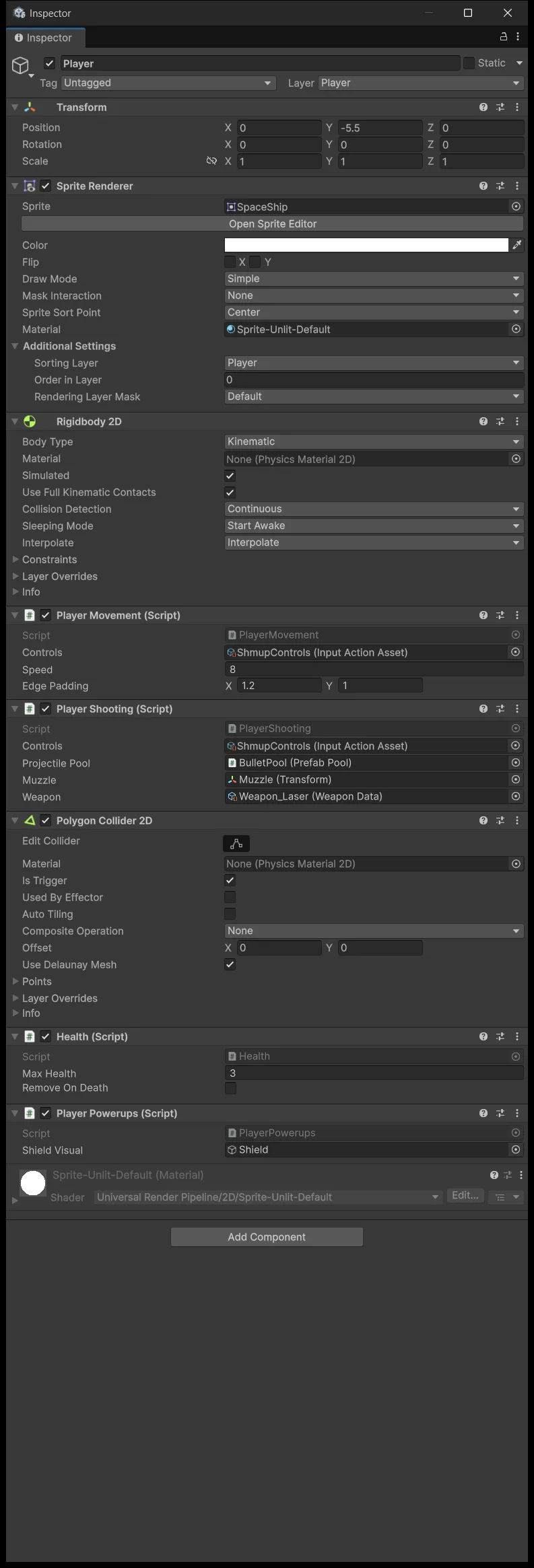
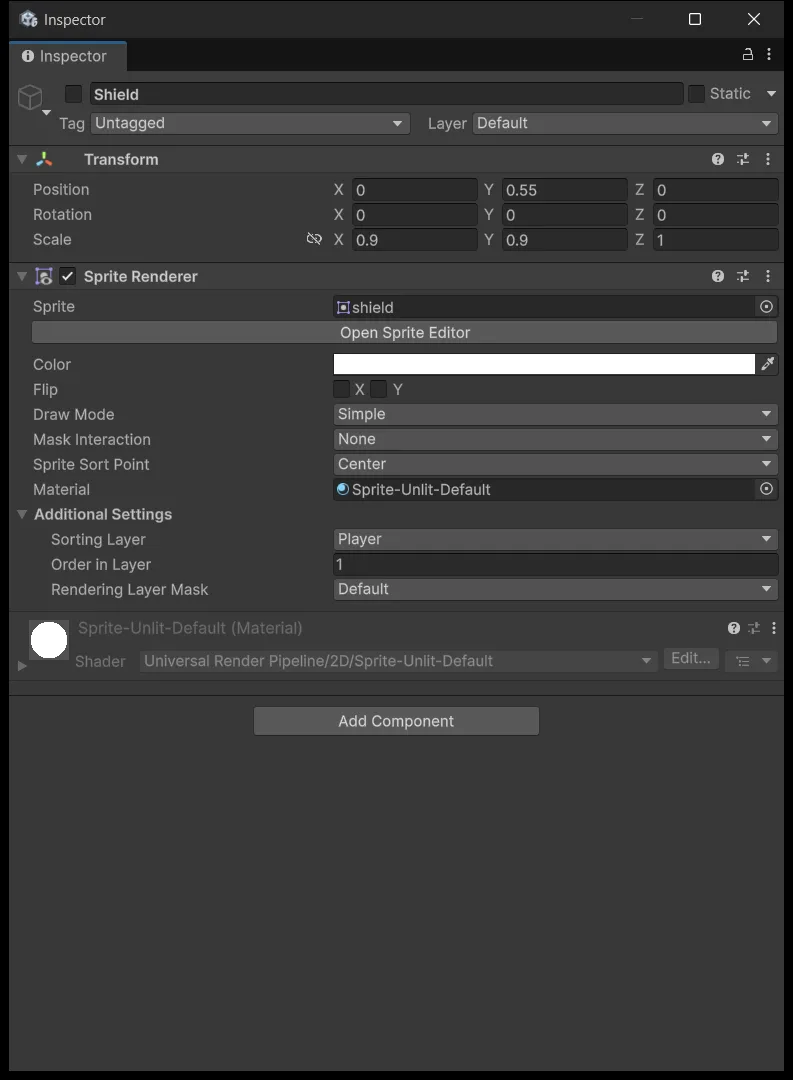
Create a child of Player named Shield with the shield sprite, Sorting Layer Player Order 1, switched off by default. Drag it into the Shield Visual field.
A pickup only delivers data to its recipient
Assets/_ShootEmUp/Scripts/Pickups/Pickup.cs
using BillLab.Common.Pooling;
using ShootEmUp.Core;
using ShootEmUp.Data;
using ShootEmUp.Player;
using UnityEngine;

namespace ShootEmUp.Pickups
{
    [RequireComponent(typeof(SpriteRenderer), typeof(Rigidbody2D), typeof(PooledObject))]
    public sealed class Pickup : MonoBehaviour
    {
        [SerializeField] private PickupData data;

        [Tooltip("Extra distance below the screen before the pickup is recycled.")]
        [SerializeField] private float despawnMargin = 1.5f;

        private SpriteRenderer spriteRenderer;
        private Rigidbody2D body;
        private PooledObject pooled;
        private float despawnY;
        private bool consumed;

        private void Awake()
        {
            spriteRenderer = GetComponent<SpriteRenderer>();
            body = GetComponent<Rigidbody2D>();
            pooled = GetComponent<PooledObject>();
        }

        private void OnEnable()
        {
            consumed = false;
            despawnY = ScreenBounds.Get().yMin - despawnMargin;
            if (data != null) Apply(data);
        }

        public void Apply(PickupData newData)
        {
            data = newData;
            spriteRenderer.sprite = data.sprite;
        }

        private void FixedUpdate()
        {
            body.MovePosition(body.position + Vector2.down * (data.fallSpeed * Time.fixedDeltaTime));
            if (body.position.y < despawnY) pooled.Release();
        }

        private void OnTriggerEnter2D(Collider2D other)
        {
            if (consumed || !isActiveAndEnabled) return;
            var health = other.GetComponentInParent<ShootEmUp.Combat.Health>();
            if (health == null || health.IsDead) return;
            var powerups = other.GetComponentInParent<PlayerPowerups>();
            if (powerups == null) return;

            if (!powerups.isActiveAndEnabled) return;
            consumed = true;
            powerups.Collect(data);
            pooled.Release();
        }
    }
}
It falls, hands its data to PlayerPowerups on contact, and returns itself to the pool. The consumed flag is the same rule as DamageOnContact in lesson 5, set before calling Collect so one item cannot be collected twice within a single physics step. A pickup that drifts below the screen also cleans itself up without applying anything.
Create the Pickup_Generic prefab: Layer Pickup, Sprite Renderer on Sorting Layer Projectiles, Kinematic Rigidbody2D, a CircleCollider2D trigger of radius 0.4, PooledObject, and Pickup with Data defaulting to Pickup_ExtraLife.
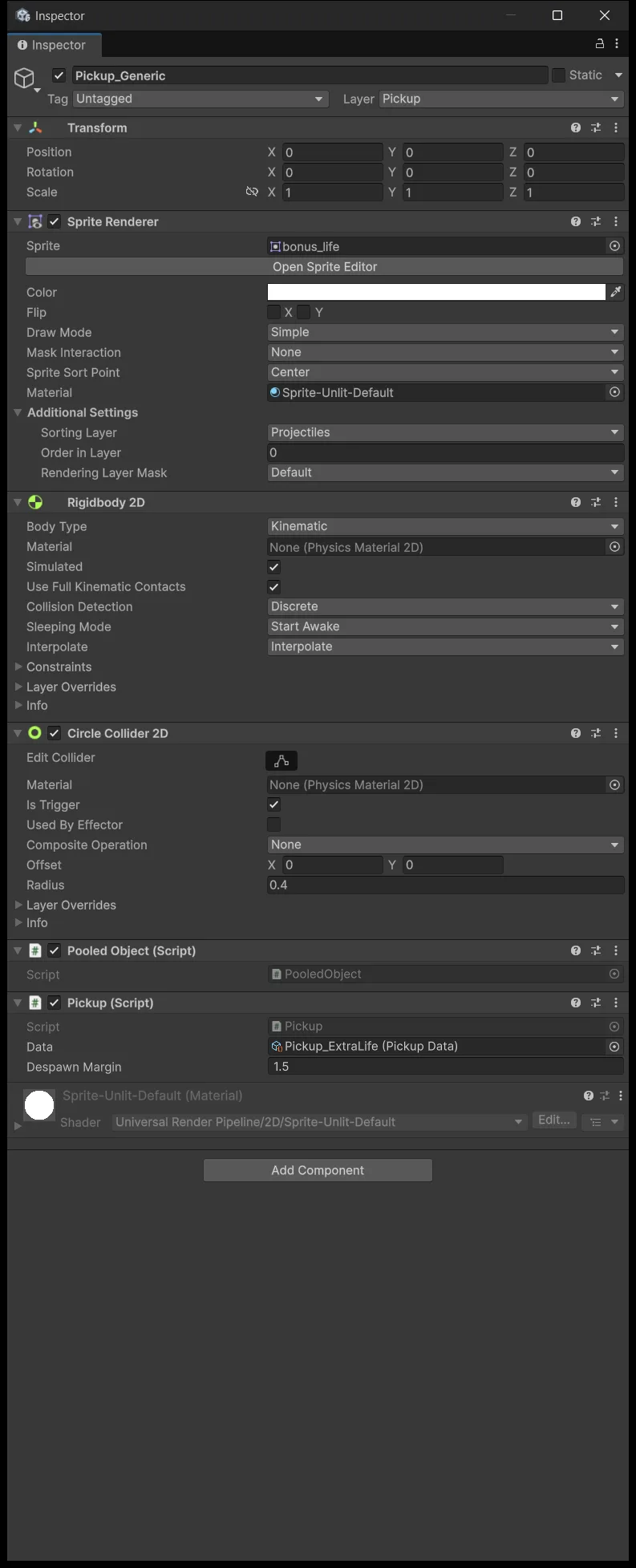
The Player × Pickup pair has been enabled in the Layer Collision Matrix since lesson 5, and this layer's other pairs stay off.
Now test by hand before touching probability. Drag one Pickup_Generic instance into the scene just above the ship, press Play, and take a hit first so the ship is 1 HP short before collecting. It must heal exactly 1 and then disappear. Change the default Data to Shield and to RapidFire to check each type separately. Delete the test instance when you are done.
Forcing one type before adding randomness is deliberate. Turn probability on from the start and, when nothing drops, you cannot tell broken code from bad luck.
Collecting again refreshes rather than stacking
t = 0 · Collect Shield, expires at t = 6
t = 4 · Collect again, cancel the old timer, new expiry t = 10
t = 6 · Shield still on
t = 10 · Shield off
This is why Restart(ref slot, routine) exists. Without cancelling the old coroutine, it wakes at second 6 and turns the shield off even though the new pickup has four seconds left. The player collects a second shield and immediately loses protection — an annoying bug that reports no error.
The two buff types have separate slots, so collecting a Shield does not cancel a running RapidFire.
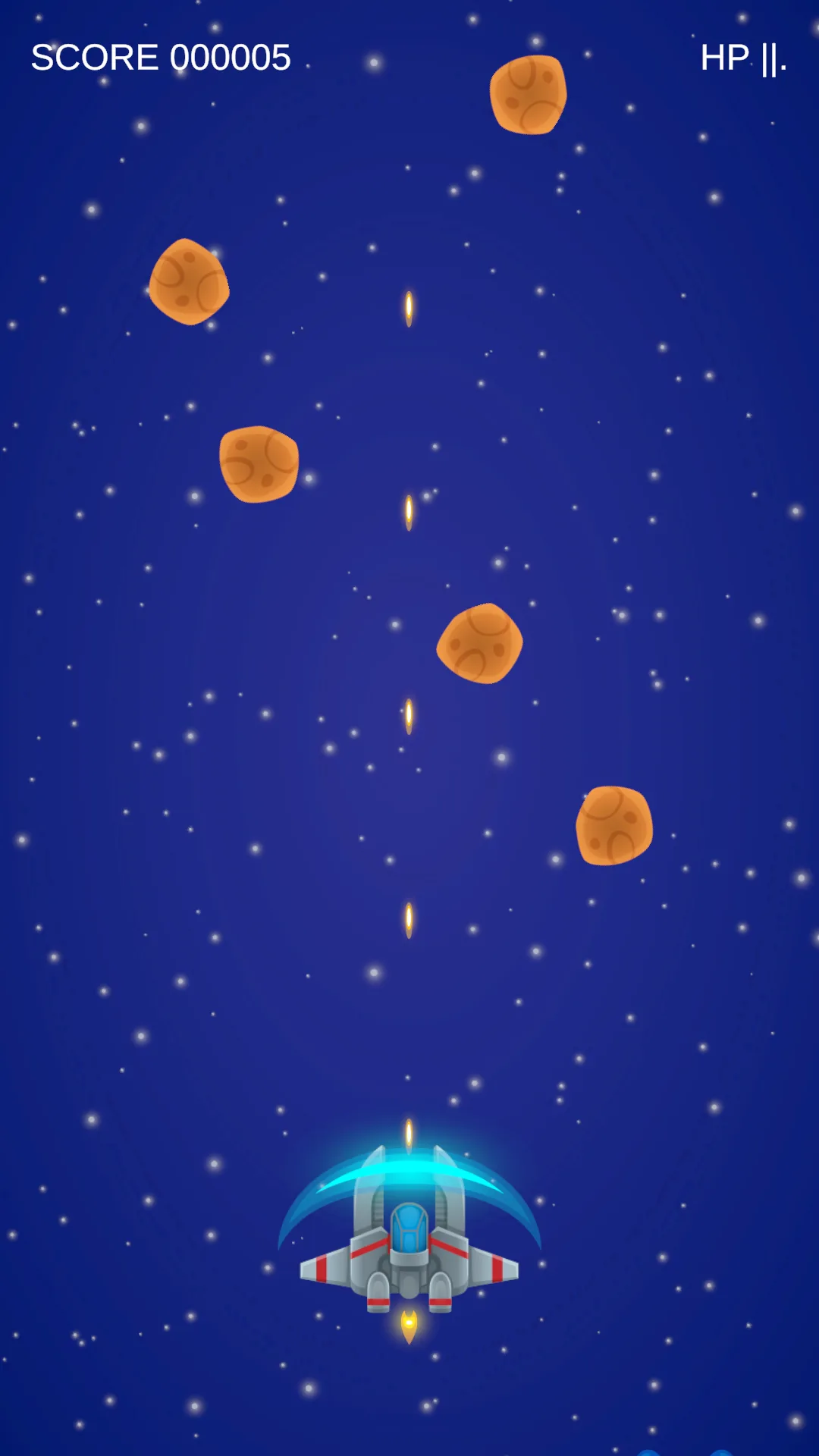

WaitForSeconds counts game time, so 6 seconds is a target that ends on whichever frame the coroutine resumes. To verify rapid fire is genuinely faster, count shots produced over a fixed interval rather than inferring it from the score, which also depends on what you hit.
Separate "does it drop" from "what drops"
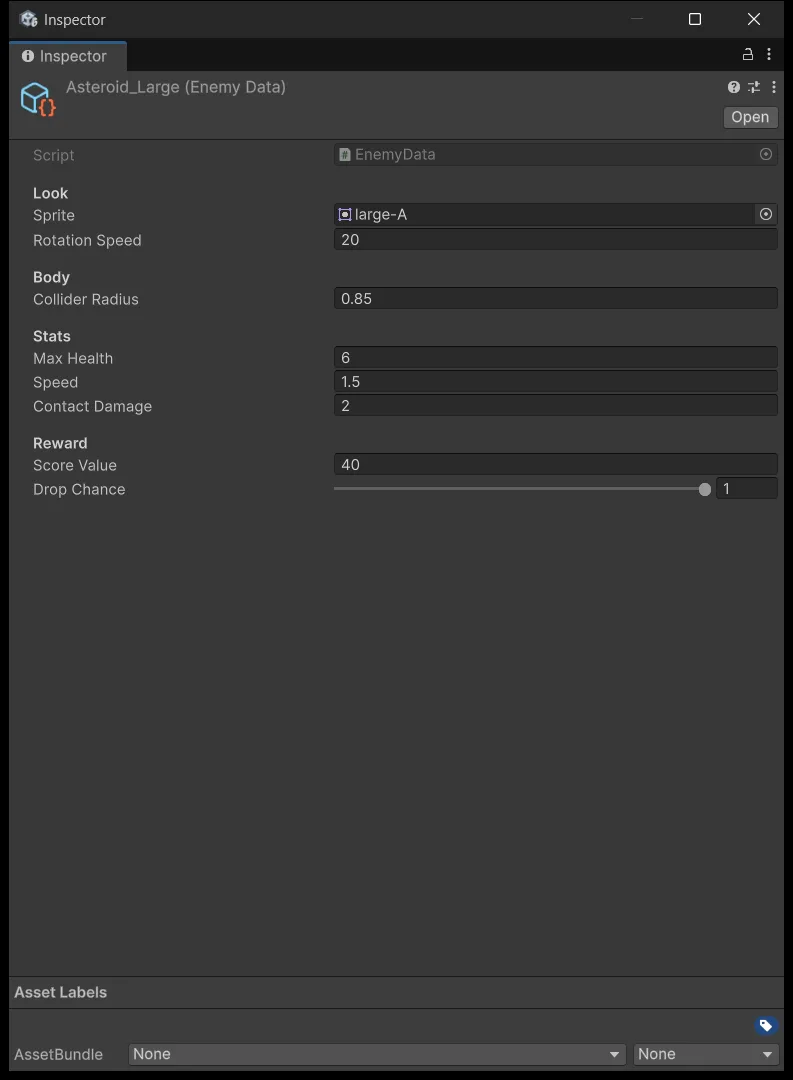
The two questions are independent, so they get two separate configurations. dropChance on EnemyData answers the first. PickupTable answers the second, given that a drop already happened.
Replace EnemyData with the lesson 9 version to gain a Drop Chance field. While testing set it to 1 so something always drops; for the finished game use Basic 0.3, Fast 0.4, Small 0.1, Medium 0.25, Large 1.
Assets/_ShootEmUp/Scripts/Data/PickupTable.cs
using System;
using UnityEngine;

namespace ShootEmUp.Data
{
    [CreateAssetMenu(menuName = "ShootEmUp/Pickup Table", fileName = "Pickups_New")]
    public sealed class PickupTable : ScriptableObject
    {
        [Serializable]
        public struct Entry
        {
            public PickupData pickup;
            [Min(0f)] public float weight;
        }

        public Entry[] entries = Array.Empty<Entry>();

        public PickupData Roll()
        {
            var total = 0f;
            if (entries == null) return null;
            foreach (var e in entries) if (e.pickup != null && e.weight > 0f) total += e.weight;
            if (total <= 0f) return null;

            var r = UnityEngine.Random.Range(0f, total);
            PickupData lastValid = null;
            foreach (var e in entries)
            {
                if (e.pickup == null || e.weight <= 0f) continue;
                lastValid = e.pickup;
                if (r < e.weight) return e.pickup;
                r -= e.weight;
            }
            return lastValid;
        }
    }
}
Create a Pickups_Default asset with ExtraLife weight 1, Shield 2, RapidFire 3.
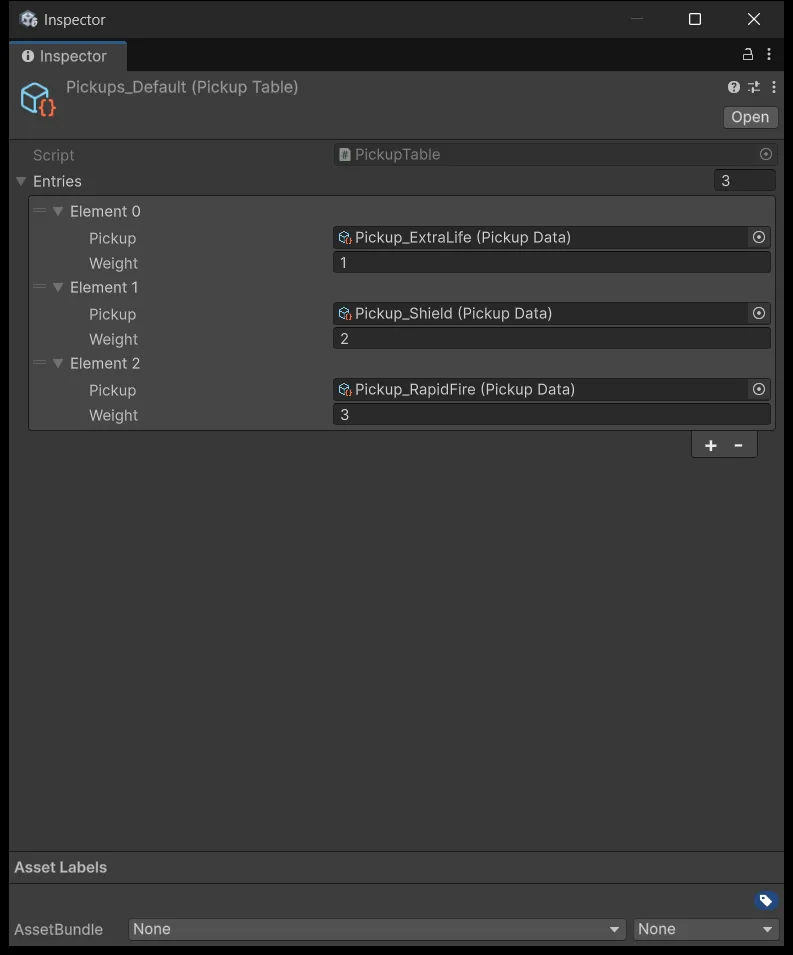
The weights total 6, so among drops that do happen the split is 1/6, 2/6, and 3/6. Combine the two stages and you get the real probability: an InsectBasic with a dropChance of 0.3 drops a Shield with probability 0.3 × 2/6 = 0.1, or 10% per kill.
Weights do not need to sum to 1, because Roll divides by the total itself. A total of 0 makes the method return null and nothing drops.
Connect enemy deaths to the drop system
Assets/_ShootEmUp/Scripts/Pickups/PickupDropper.cs
using BillLab.Common.Pooling;
using ShootEmUp.Data;
using ShootEmUp.Enemies;
using UnityEngine;

namespace ShootEmUp.Pickups
{
    public sealed class PickupDropper : MonoBehaviour
    {
        [SerializeField] private PrefabPool pickupPool;
        [SerializeField] private PickupTable table;

        private void OnEnable()
        {
            Enemy.Killed += OnEnemyKilled;
        }

        private void OnDisable()
        {
            Enemy.Killed -= OnEnemyKilled;
        }

        private void OnEnemyKilled(Enemy enemy)
        {
            if (enemy.Data.dropChance <= 0f || Random.value >= enemy.Data.dropChance) return;

            var pickup = table.Roll();
            if (pickup == null) return;

            pickupPool.Get(enemy.transform.position, Quaternion.identity).GetComponent<Pickup>().Apply(pickup);
        }
    }
}
This script listens to the same Enemy.Killed event from lesson 8, changes no signature, and touches nothing in the scoring system. Here is where that lesson 8 decision pays off: because the event carries the whole Enemy, the dropper can read Data for the drop chance and transform.position for where to place the item. The event fires before the enemy returns to the pool, so that position is still correct.
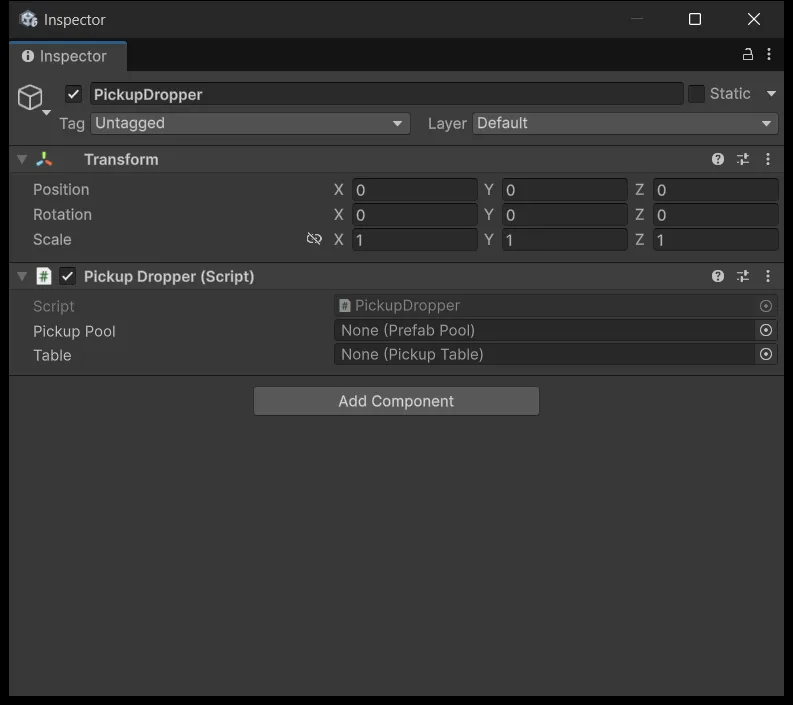
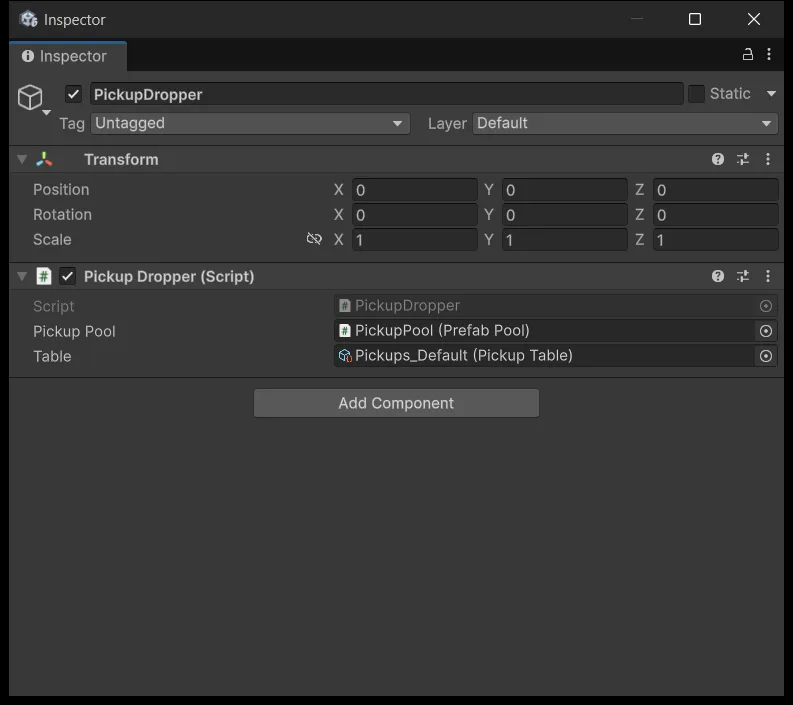
Create an Empty named PickupPool with prefab Pickup_Generic, Prewarm 5, Max Size 30. Create an Empty named PickupDropper and wire Pickup Pool and Table:
The test pass
Work through six situations: healing never exceeds Max, a shield blocks one hit and then expires on time, rapid fire returns to Weapon_Laser, collecting a duplicate follows the timeline above, no pickups are accepted after Game Over, and a restart leaves no buff behind.
Save the randomness for last and play several runs. With a dropChance of 0.3, seven kills in a row producing nothing is perfectly ordinary probability, so do not go editing code after a handful of attempts.
Source for this stage
Download the lesson 9 scripts — code and assembly definitions only, no scenes, prefabs, or the pictured artwork. When upgrading from an earlier lesson, overwrite files at the same paths.
Next: Shmup #10.